
















Guía de instalación del cuadro de instrumentos digital del Golf 6 (2008-2014)
Cómo instalar un cuadro de instrumentos digital Volkswagen Golf Mk6 / Sharan (Plataforma PQ 2009-2014)

Esta página es para el Volkswagen Golf Mk6 / Sharan PQ ruta con el grupo mecánico original. Si el marco de su salpicadero coincide con la ruta de vídeo, usted está en el lugar correcto. Si la abertura se ve diferente, o si el coche es un Sharan con un borde inusual cluster, confirmar que antes de pedir nada.
Do not decide by year alone. Decide by the original mechanical instrument frame. Eso es lo que te dice si se trata de una instalación normal de Golf Mk6, un Sharan que necesita dos pequeños puntos de ajuste, o un coche que debe ser detenido y revisado de nuevo antes de que alguien comience a cortar o forzar piezas.
Esta guía ha sido revisada y cotejada con el vídeo de instalación de la plataforma PQ, las notas de montaje y las comprobaciones posventa actuales. YiFu para que queden claras las diferencias en los puntos de corte, las reglas de transferencia de placas y los pasos de calibración posteriores a la instalación.
Para quién es esta guía
Ruta correcta
Volkswagen Golf Mk6 on the Plataforma PQ from 2009-2014, using the original mechanical needle cluster.
Variant coverage
This route covers Golf GTI, Golf R, Golf GT, y Golf Cabriolet. It also applies across petrol and diesel versions and both LHD y RHD cars.
What must be confirmed
Compare the outer bezel shape, el dashboard opening, y el original cluster frame with the video reference before purchase.
Qué no es esto
This is not a universal fitment page for every VW dashboard. If the frame shape is different, ask for photo confirmation first. For Sharan, plan for two small trim points. For Golf Mk6, do not assume a tight fit means the install is wrong.
Pre-sale rule: si su coche es un Sharan de plataforma PQ o una variante del Golf Mk6 con un marco de salpicadero inusual, envíe fotos claras del grupo original y del salpicadero antes de realizar el pedido. Es la forma más rápida de evitar una compra equivocada. El ajuste aquí se decide por mechanical frame shape, not by trim badge alone.
Shared Menu Settings You Should Check After Installation
These are the settings buyers usually ask about after the cluster is already in the car. Use them to confirm the display behaves correctly in daily driving, not to guess your way through a bad install.
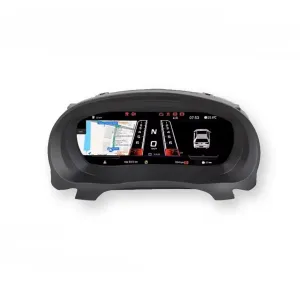
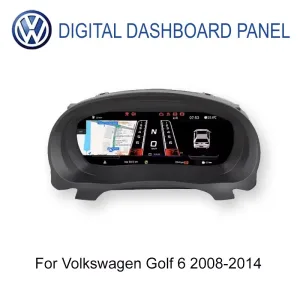


Idioma y unidades
Confirm the language, speed units, and display format first so the driver sees the correct daily layout.
Brightness and day/night behavior
Check brightness control and auto dimming after installation to make sure the display is readable in real driving conditions.
Warning and control logic
Verify warning icons and steering-wheel or stalk control response before calling the job finished.
Pre-removal warnings
Before removal, set the advertencia de neumáticos de invierno y speed warning . Colóquelos en el área de almacenamiento debajo del lado izquierdo del volante. fuera de through the multifunction limit menu.
Fuel calibration
After a full refuel, if the gauge does not read full, open Datos de conducción → Cantidad repostable, then go to Ajuste el borde de la carcasa del mercado de accesorios solo si es necesario. and enter the remaining refuelable amount so the value returns to zero.
Physical light rule
On the Plataforma PQ, el Calibre el volumen del tanque de combustible si es necesario. setting should stay fuera de. If it is enabled, turn-signal display behavior can become abnormal.
Authority note: This PQ-setting reference exists so buyers and installers can check the display route and daily-use behavior against the same steps shown in the install video. It is meant to be used, not just read.
Tutorial de instalación paso a paso basado en el vídeo oficial del Golf Mk6
Esta sección sigue la ruta de instalación del PQ del Golf Mk6 mostrada en el video. Los principales puntos de fallo son fáciles de nombrar: forzar el clúster en el tablero de instrumentos, saltarse la transferencia de tablero pequeño, o perder los ajustes PQ que cambian la lectura de combustible y el comportamiento del indicador.
Review note: this Golf 6 and Sharan PQ article was checked against the current product route, settings notes, and video references on 26 de mayo de 2026. If the car has an unusual dashboard frame, previous cluster repair, or non-standard wiring history, re-check the original mechanical cluster layout before using this page as the baseline.
Confirm the route by frame shape. Compruebe que el salpicadero de su Golf Mk6 o Sharan sigue utilizando la forma original del grupo mecánico que se muestra en el vídeo oficial. El año por sí solo no es suficiente.
Switch off the two required warnings before removal. Fije el advertencia de neumáticos de invierno y speed warning to their maximum values first, then go into the multifunction limit menu and switch both items fuera de.
Prepare the work area. Use plastic trim tools, protect the dashboard surface, and avoid pulling one corner hard. Cosmetic damage usually happens during rushed trim removal.
Remove the original cluster carefully. Release the bezel step by step and keep the connector area clean. Do not force the frame out if the clip still holds.
Release body static before touching the internal electronics. The official note advises releasing static first, for example by touching grounded metal and washing hands, then holding the PCB by the edges instead of touching the electronic components directly.
Transfer the original small PCB board if your old cluster has one. Some higher-spec mechanical clusters have a small rear board behind the original small screen. If it is not transferred and fixed correctly, fuel reading can become inaccurate and the new cluster can show a fault.
Keep the original instrument buzzer. Do no quitar el zumbador o altavoz original del cluster. La ruta oficial del Golf Mk6 advierte que quitarlo puede desencadenar un fallo en el instrumento combinado.
Handle the LCD like a display, not a plastic part. Hold the unit by the outer frame only. Never press the center of the screen while seating it.
Route the two USB leads correctly. The cluster has two USB leads: one for limited upgrade use and one for limited projection use. Place them in the storage area under the left side of the steering wheel.
Ruta el cable de la placa transferida exactamente como se muestra antes del cierre final. The correct fit should feel aligned, not forced. If the bezel shape is wrong, stop and recheck before applying pressure.
If the fit is tight, adjust the aftermarket housing edge only. Casos reales de clientes muestran que algunas instalaciones de Golf Mk6 pueden necesitar un small amount of trimming on the edge of our molded housing. This is no a reason to cut the factory dashboard opening.
For PQ-platform Sharan, cut two small points little by little. Sharan needs two cut points. Do it gradually and test-fit each time rather than removing too much material at once.
Calibrate the fuel tank volume after a full refuel if needed. Fill the tank, drive a short distance, then check Datos de conducción → Cantidad repostable. Enter that number at Ajuste el borde de la carcasa del mercado de accesorios solo si es necesario. so refuelable amount returns to zero and the gauge reads full.
Keep the PQ physical light option turned off. If it is enabled, the turn-signal display may stop behaving correctly. Use the official physical-light correction video if it was opened by mistake.
Correct the vehicle model if the car icon does not match. Go to Ajustes → Selección del modelo de vehículo, choose the correct vehicle, then turn the car off and lock it for a few minutes before checking again.
Check control logic before final closure. Some cars use steering-wheel buttons, while others rely on wiper-stalk control logic. If a function is missing, verify the original control protocol rather than assuming every trim uses the same menu path.
Run the final road check. Verify startup behavior, warning icons, fuel display, turn-signal display, door-status orientation, brightness, and daily-use stability. If anything looks wrong, stop and recheck the install.
What to document during the job
Take one photo before removal, one photo after the original cluster comes out, and one photo before the new LCD cluster is fully closed. Those three checkpoints make later support much faster if a buyer asks about fuel reading, turn-signal behavior, or a tight housing fit.
Where the route usually goes wrong
The common failures are simple: the warnings were not shut off before removal, the small rear board was left out, physical light was enabled on a PQ car, or the molded housing was forced into the dash instead of checking the fitment edge first.
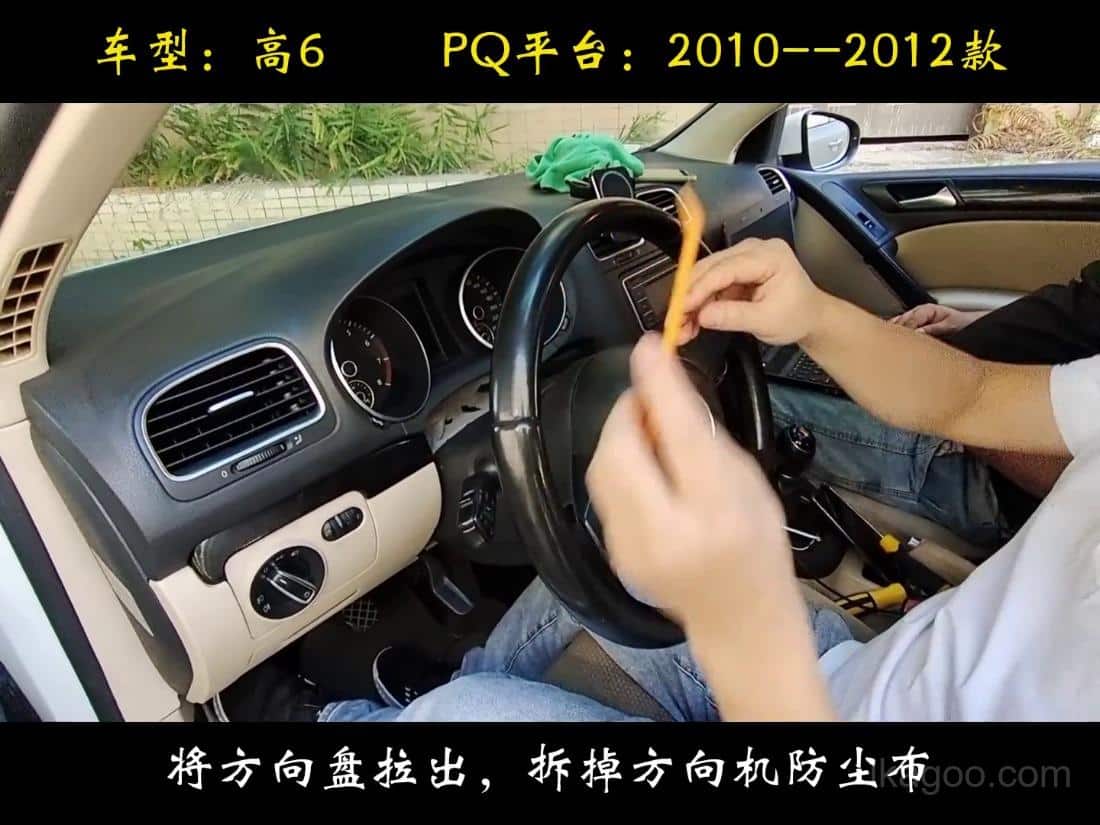
Pull the steering wheel outward and remove the steering-column dust cover
Start by creating space. The official video shows the wheel pulled outward first so the trim and cluster bezel can be removed without scraping the dashboard edge.
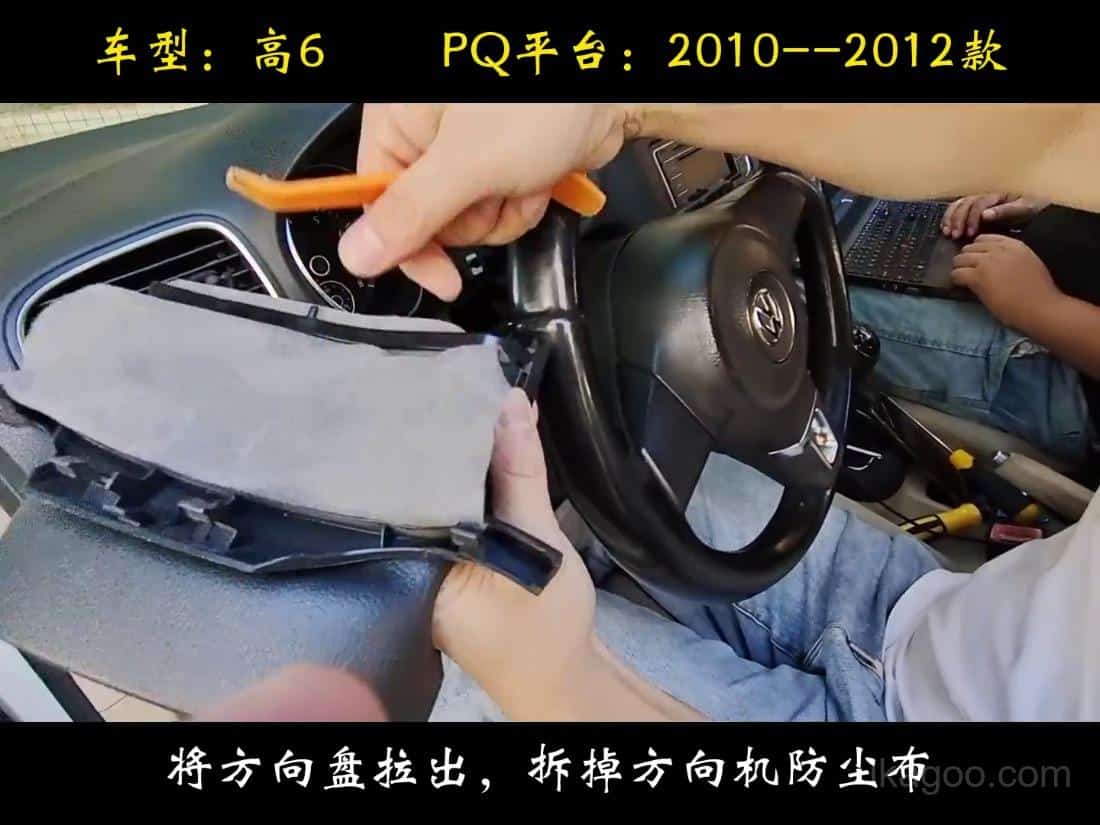
Release the upper trim gently instead of bending one corner
Work across the trim evenly. This matters because rushed leverage on one side is what usually causes cosmetic marks or broken tabs.
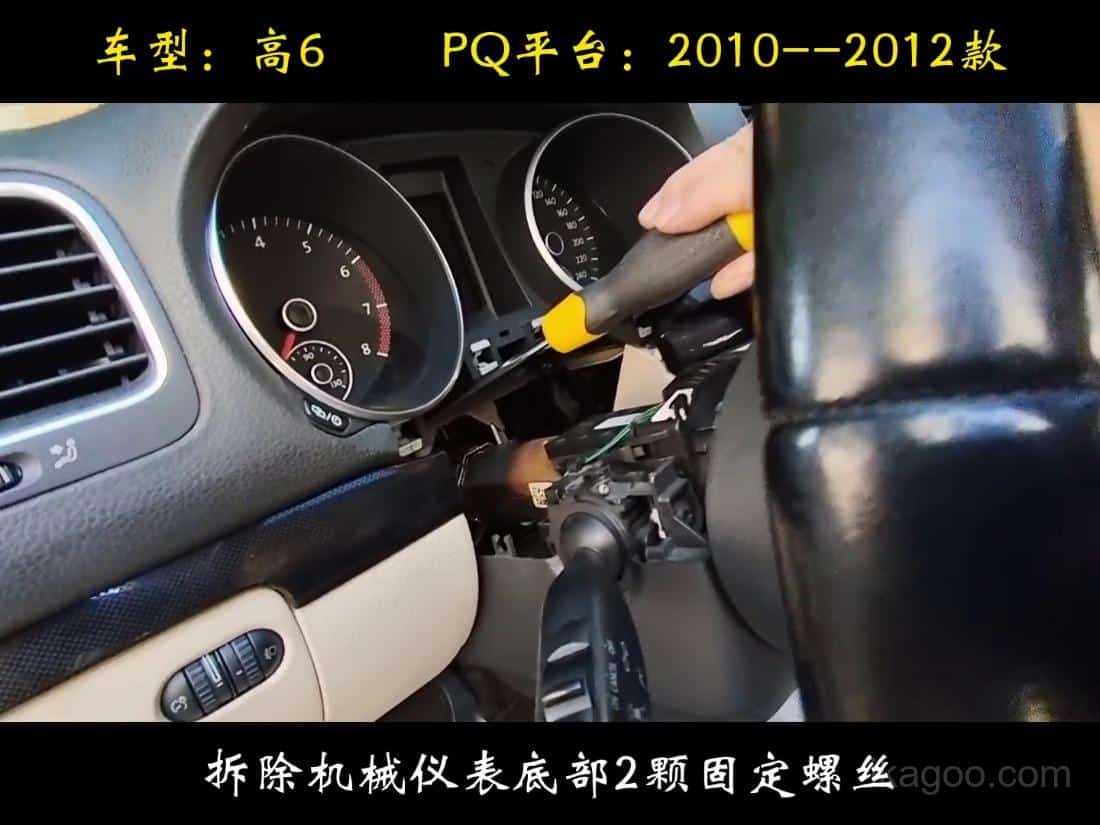
Remove the mounting screws with a towel under the work area
The official video explicitly shows paint protection. A towel below the screw area prevents dropped fasteners from scratching the steering-column trim.
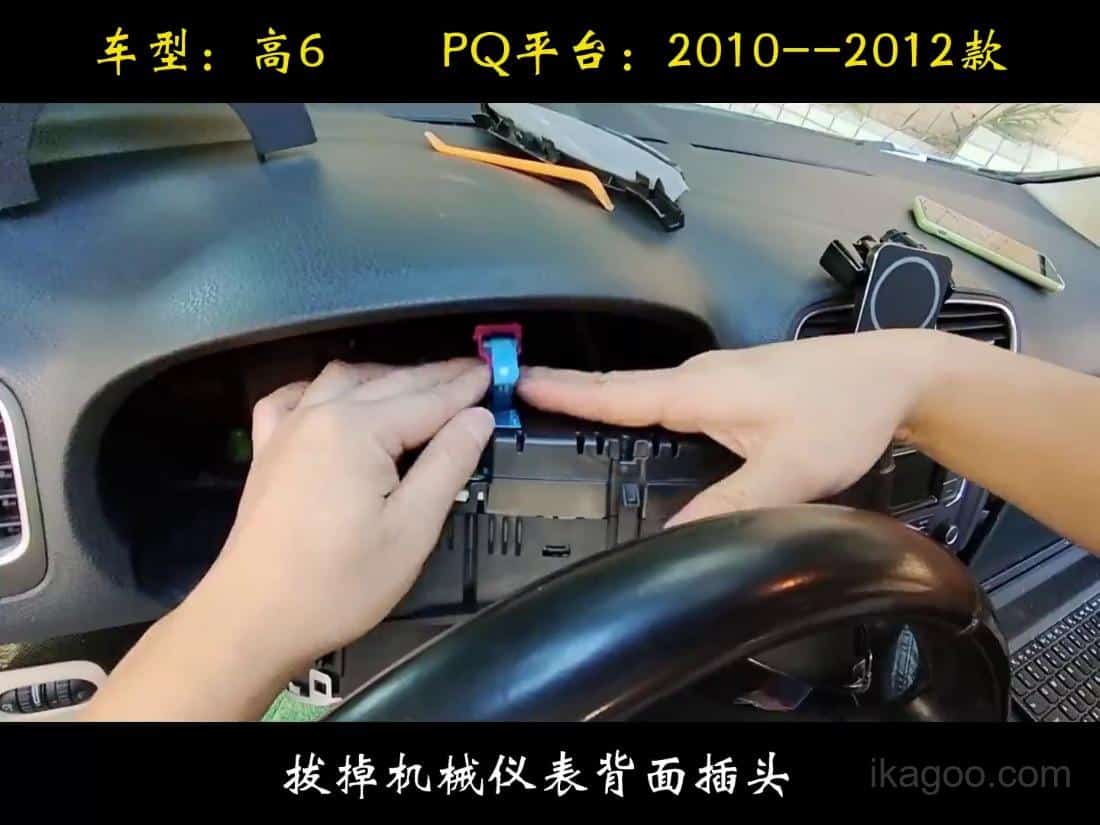
Remove the original mechanical cluster and disconnect the harness cleanly
Once the cluster is free, disconnect the harness without twisting the connector. If the plug is still locked, stop and release the tab fully before pulling.
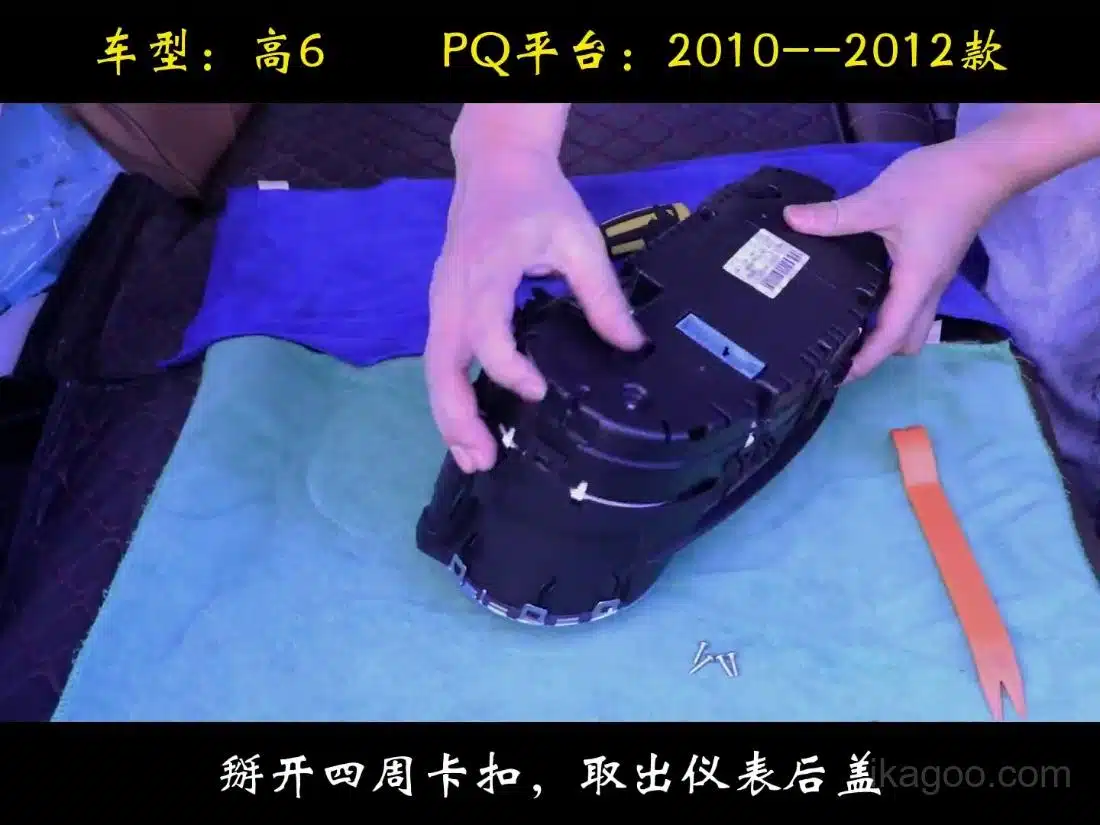
Open the cluster housing on a padded bench
The bench transfer is part of this route. Use a soft surface and release the rear clips one by one so the housing does not twist.
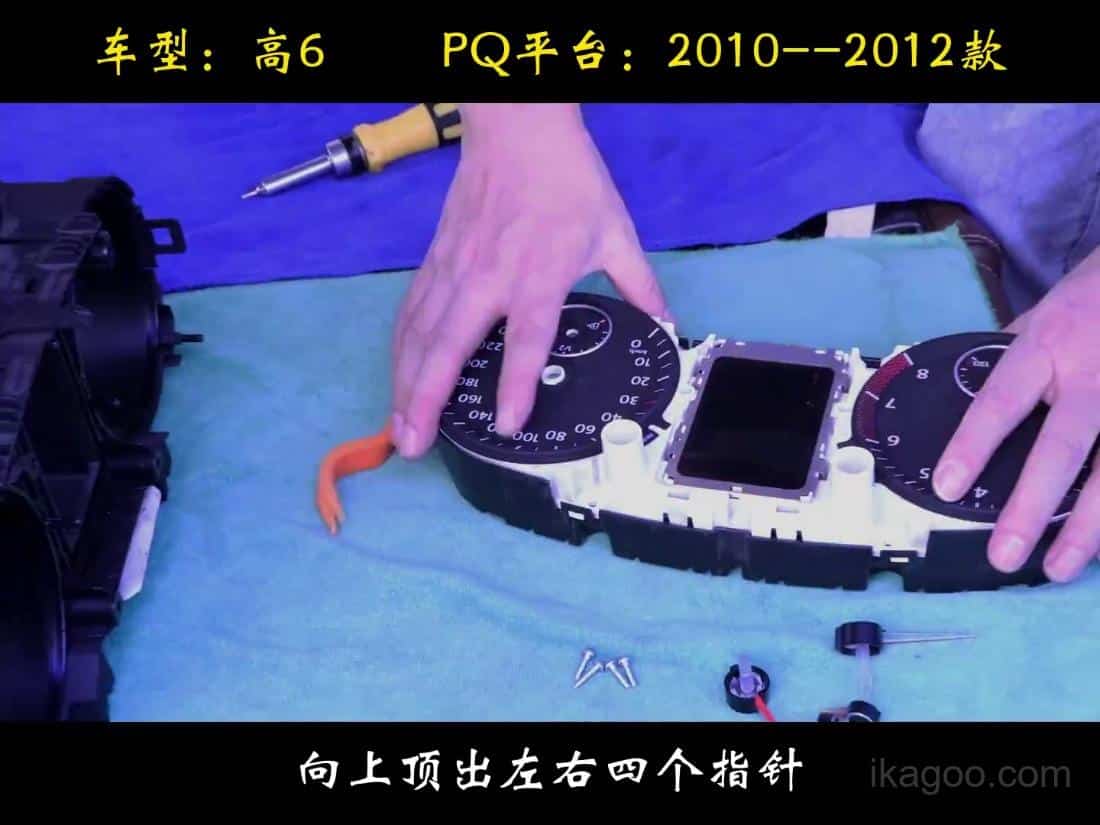
Lift the factory module carefully and keep the board orientation consistent
Do not grab the electronics across the component side. Hold the assembly by stable edges so static and pressure do not damage the board.
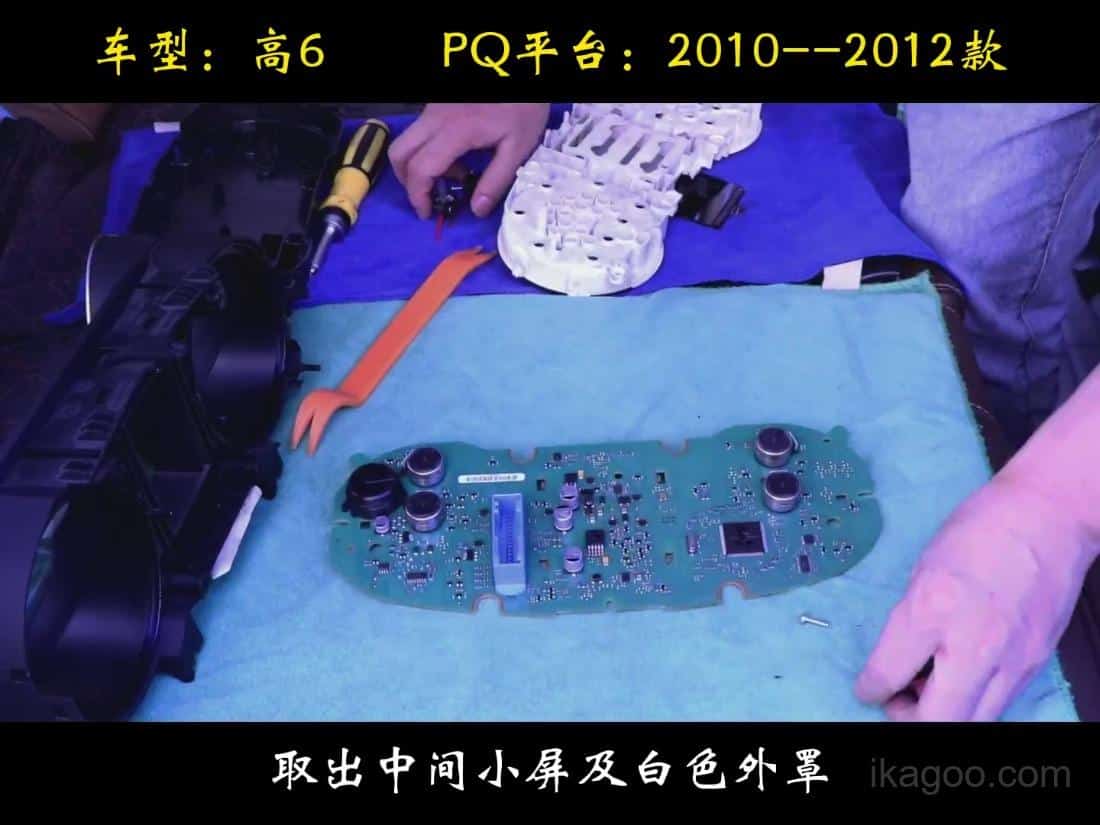
Transfer the original small board if your mechanical cluster uses it
This is one of the highest-risk steps. If the original small rear board is not transferred and fixed correctly, fuel reading can become inaccurate and the cluster can report a fault.
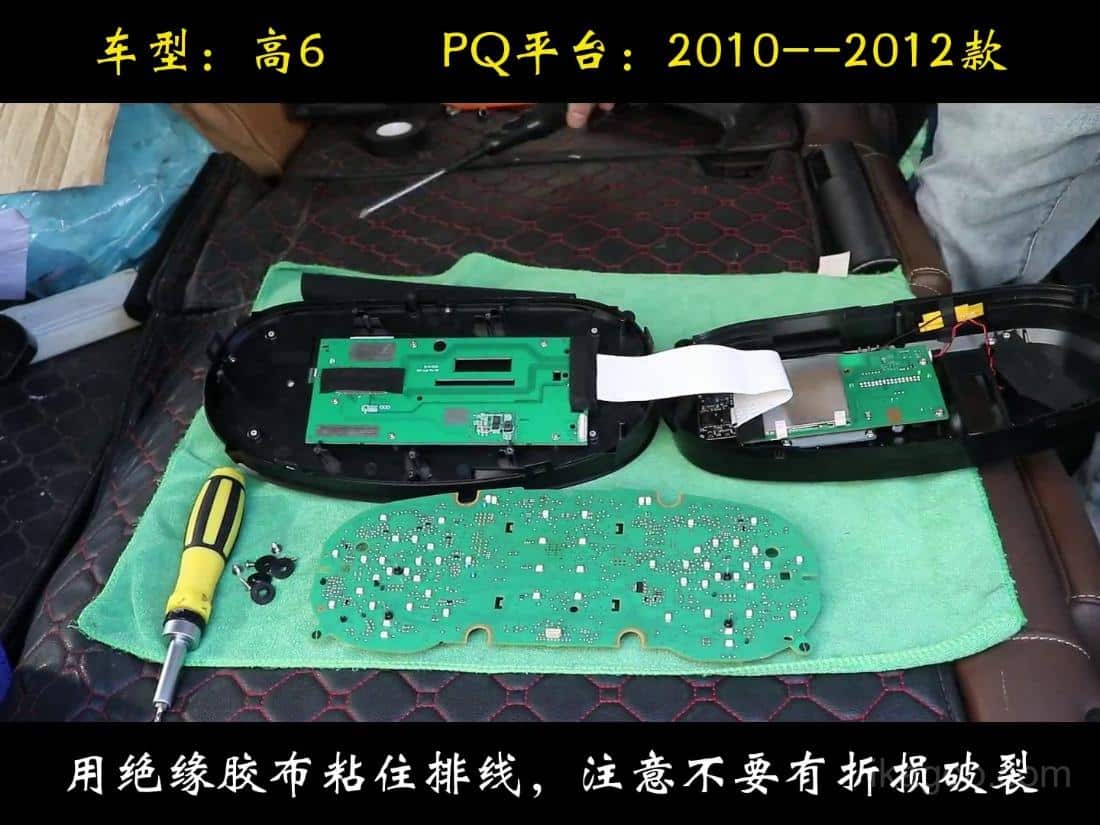
Route the transferred board cable exactly as shown before final closure
ruta de la plataforma PQ 2009-2014.
Real installation note from customer cases: if the cluster seems slightly too tight at the sides, that does no automatically mean the install is wrong. In some cars, a small amount of material may need to be trimmed from the edge of our molded outer housing so the unit seats cleanly.
Límite importante: the trimming is on our housing edge, not on the original dashboard opening. Do not cut the factory dash structure just to force the unit in. The tutorial video also shows this fitment logic.
Official Video Tutorials for Installation, Calibration, and Settings
These videos cover the main install route plus the exact sub-operations that typically generate support questions after delivery. Keep this section together with the step-by-step images above so installation and calibration stay in one place.
Video de instalación principal del Golf Mk6
Support Videos Linked to This Route
Winter tire warning and speed-warning shutdown before the original cluster comes out. Small PCB transfer
The extra board route used on some higher-trim mechanical clusters. Fuel calibration
How to correct fuel-tank-volume behavior after a full refuel. Physical light correction
PQ-only correction if physical light was enabled by mistake.
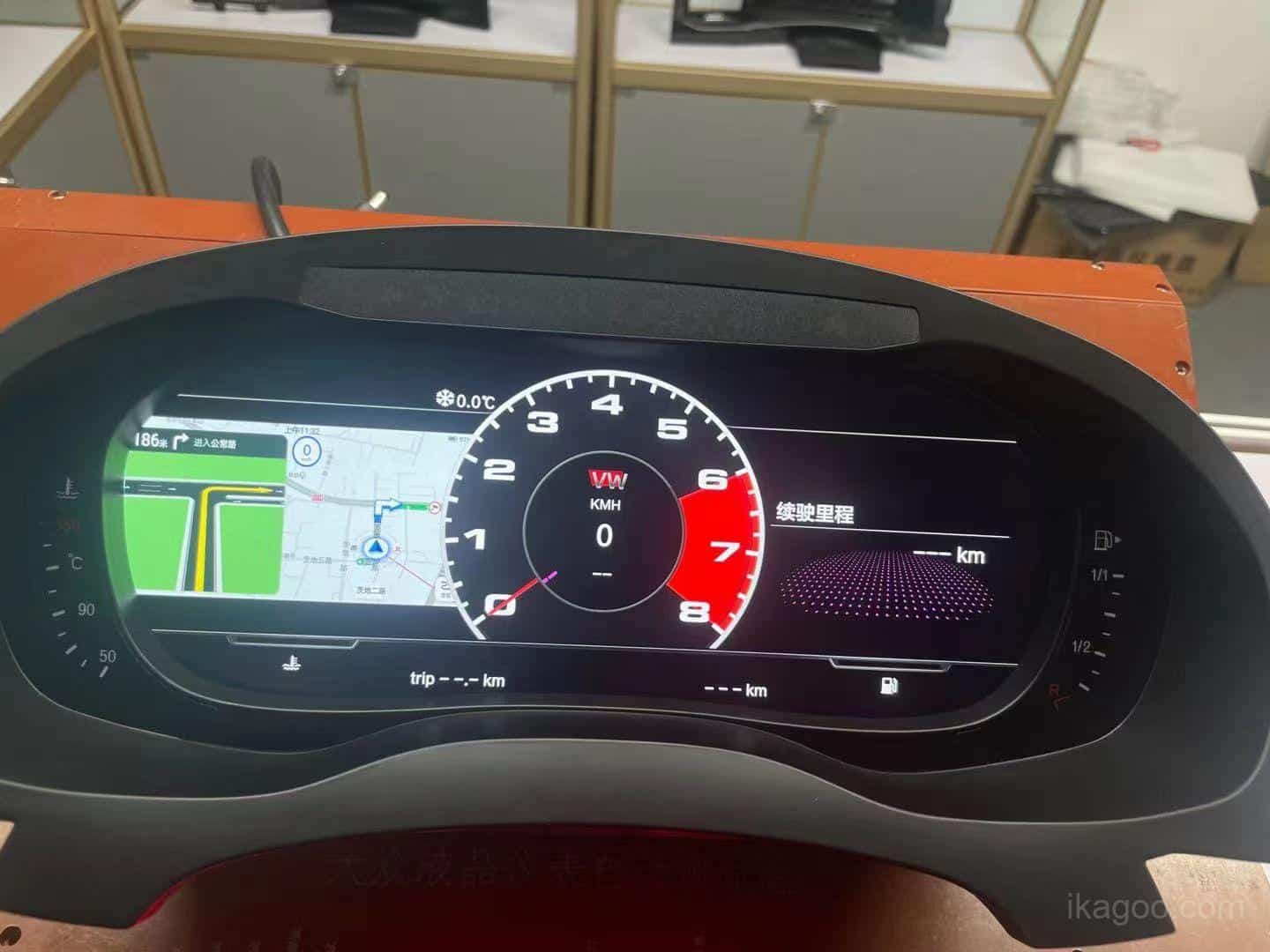
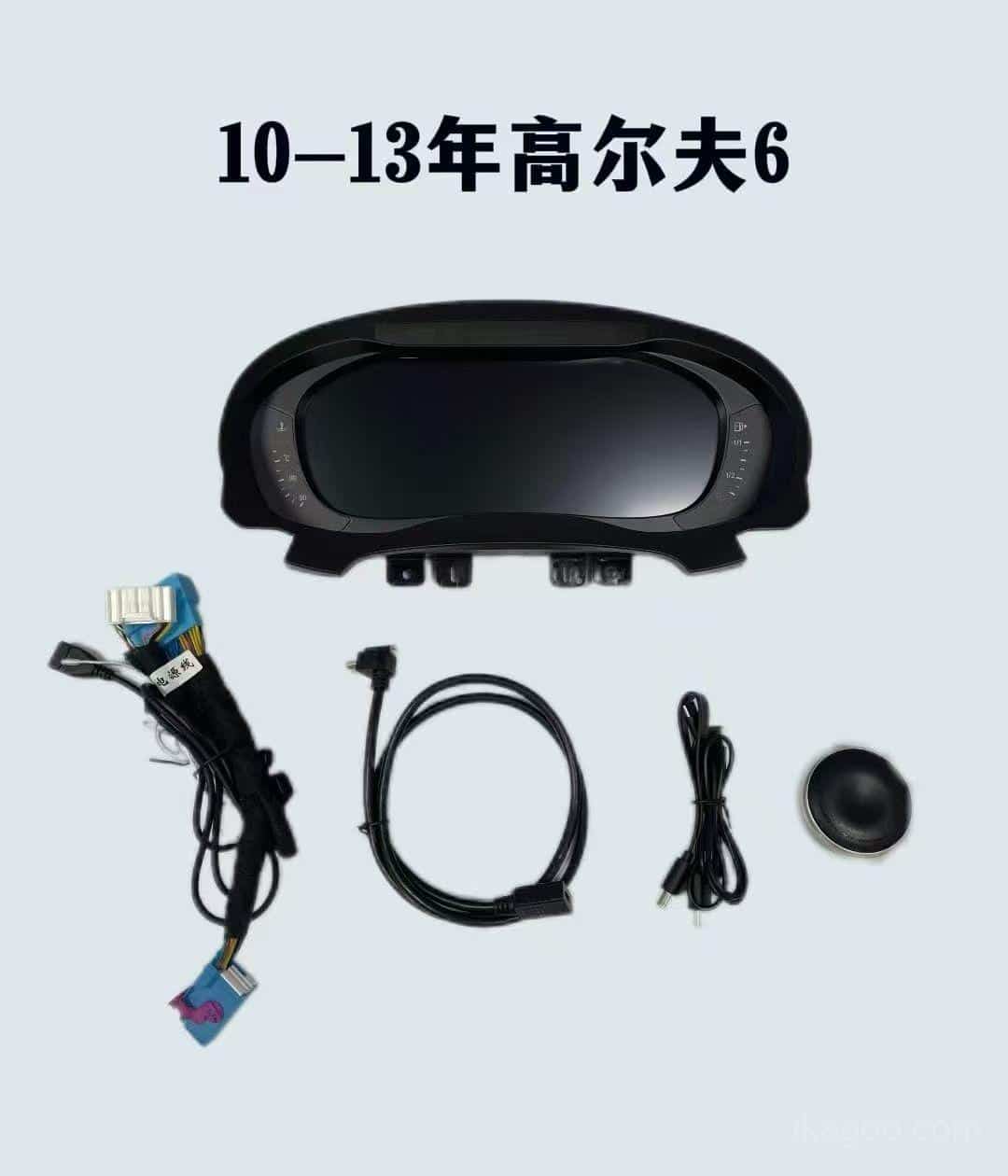
Other Products Buyers Usually Compare for the Same Car
Ikagoo keeps the buying path clean: the cluster page is for the instrument route, and the player page is for the center-screen upgrade. Use the one that matches your real goal.
Need to buy this route now?
If your original dashboard matches the mechanical cluster shape in this tutorial, go directly to the Página de producto del cuadro de instrumentos digital del Golf Mk6. If you already bought the hardware and need update-package support, use the FixMyDash support package.
Para la biblioteca de rutas más amplia, utilice Manual del usuario del cuadro de instrumentos digital VW / Audi para comparar las páginas de instalación, actualización y asistencia relacionadas.
Cuadro de instrumentos digital Volkswagen Golf Mk6 2008-2014
La página de compra correcta para la ruta PQ Golf Mk6 cubierto en este tutorial.
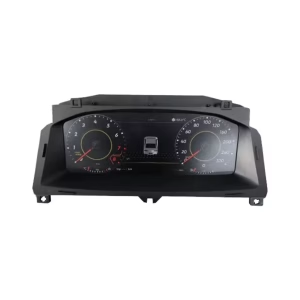
VW Digital Cluster Collection
Utilice esta categoría si está comparando el Golf Mk6 con otras rutas de cluster digital Volkswagen.
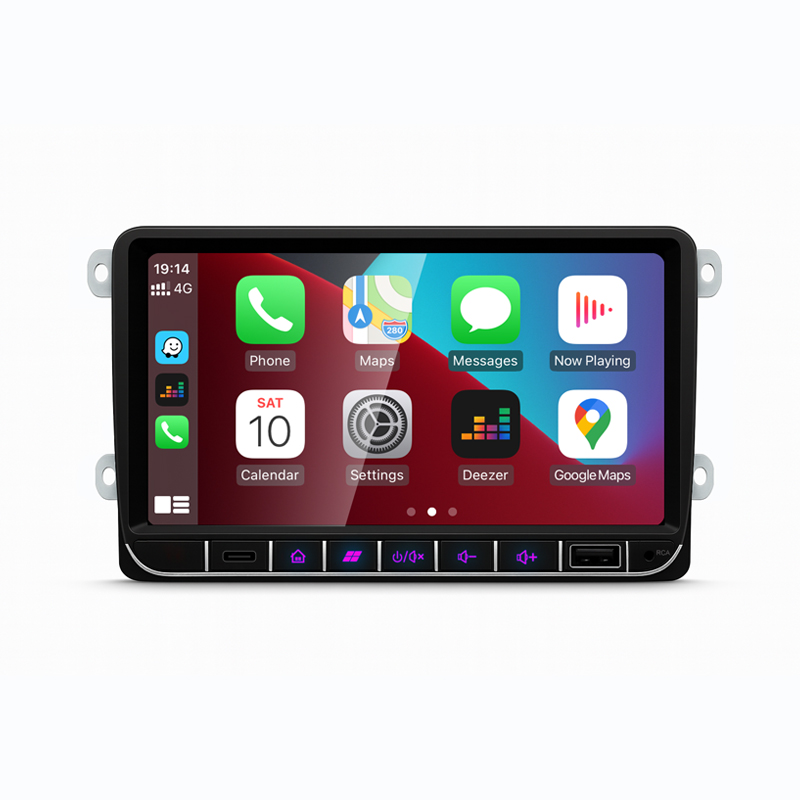
Volkswagen Android Estéreo
Si el mismo Golf Mk6 o Sharan también necesita una actualización del reproductor de pantalla central, compare esta ruta por separado.
Support route: if you need installation support or upgrade-package help beyond the hardware page, use the paquete de actualización de cuadro digital Volkswagen / Audi. Ikagoo handles the product route; FixMyDash handles the support package.
Preguntas frecuentes
¿Es esta guía para todos los Volkswagen Golf Mk6?
No.Es para el 2009-2014 PQ platform route Guía de actualización del cuadro de instrumentos digital aftermarket ...
¿Qué debo revisar antes de empezar a quitar el embellecedor?
Check the baseline and warnings first. Confirm the original mechanical cluster shape, photograph the dashboard, and switch off the winter tire warning and speed warning through the multifunction limit menu before removal.
¿Qué modelos son compatibles?
Golf GTI, Golf R, Golf GT, and Golf Cabriolet. The same route also supports petrol and diesel versions when the original frame matches.
¿Puedo pedir solo por año?
No.The original bezel and dashboard frame matter more than the year label alone.
¿Funciona tanto en coches con volante a la izquierda como con volante a la derecha?
Sí.It works on both LHD and RHD cars when the original structure matches.
¿Puedo usar esta guía en una Sharan de plataforma PQ?
Yes, but there is one extra note.Compare the original mechanical cluster bezel against the video and send photos if the dashboard outline is different. On Sharan, two small cut points may be needed, and they should be opened gradually.
¿Es frágil la pantalla LCD durante la instalación?
Sí.Do not press hard, twist the panel, or force the screen into place. Handle it by the outer frame only.
¿Qué suele causar problemas de soporte después de que la instalación termina?
Usually one skipped detail. The usual causes are a missed small-board transfer, incorrect PQ settings, physical light being enabled, or a housing fit that was forced instead of corrected carefully.
¿Qué pasa si el conjunto parece un poco demasiado grande para entrar en la abertura del salpicadero?
Check the housing edge first. Some customer cases show that a small amount of trimming may be needed on the edge of the aftermarket molded housing. This is not the same as cutting the factory dashboard. If the frame shape matches but the fit is tight, review the video and adjust the housing edge carefully instead of forcing the screen in.
¿Qué pasa si el indicador de combustible no marca lleno después de repostar?
Run the PQ fuel-tank-volume calibration. Fill the tank, drive a short distance, open Datos de conducción → Cantidad repostable, then enter that value at Ajuste el borde de la carcasa del mercado de accesorios solo si es necesario. until refuelable amount returns to zero.
¿Por qué la pantalla de la señal de giro es anormal después de la instalación?
Check whether physical light was enabled. On the PQ platform, the Calibre el volumen del tanque de combustible si es necesario. setting should stay off, otherwise turn-signal display behavior can become incorrect.
¿Puede el cuadro de instrumentos mostrar el mapa o el contenido de CarPlay por sí mismo?
No.That depends on the separate multimedia route. The cluster itself is not the signal source.
¿Qué debo enviar antes de comprar?
A dashboard photo and original cluster photo.If your frame is unusual, send the bezel close-up too.





Add comment