


Comprobación de compatibilidad de la unidad principal para Android: ¿encajará y qué funciones de serie seguirán funcionando? | iKAGOO
¿Encajará y qué seguirá funcionando? Guía de compatibilidad e instalación de iKAGOO
Esta guía te ayuda a identificar el cuadro de instrumentos digital correcto o la unidad de Android estilo OEM antes del envío. iKAGOO revisa el vehículo, el tablero, el sistema original y el equipo de fábrica relevante para que la ruta de producto seleccionada coincida con el automóvil y las funciones esperadas estén claras antes de comenzar la instalación.
Elija el tipo de producto que está comprando
Los cuadros de instrumentos digitales y las unidades de Android requieren información diferente del vehículo. Seleccione la ruta correcta para que la revisión se centre en los detalles que realmente afectan el ajuste y la conservación de las funciones.
¿Qué cubre la revisión de compatibilidad de iKAGOO?
La revisión identifica la ruta de producto correcta para el vehículo enviado. Comparamos los detalles y las fotos del vehículo con la versión de producto seleccionada, explicamos las funciones retenidas esperadas e identificamos cualquier punto de instalación que deba revisarse antes de cerrar el salpicadero.
Lo que solemos confirmar antes del envío
- Si la familia de productos seleccionada coincide con el vehículo indicado
- Qué forma de cuadro o plataforma de infoentretenimiento original está instalada
- Si se requiere una versión LHD o RHD
- Qué funciones de fábrica y accesorios necesitan atención adicional
- Si se requiere un decodificador dedicado, un adaptador o una ruta de fibra óptica
- Si se recomienda la instalación profesional
- Qué versión de producto visible debe prepararse para el pedido
Lo que el instalador verifica durante la instalación
El instalador comprueba los conectores reales, los cambios de cableado previos, las opciones de fábrica ocultas y el resultado final de funcionamiento mientras el producto y el cableado permanecen accesibles.
Este proceso de dos etapas combina la coincidencia remota del producto con la verificación real de la instalación en lugar de depender solo de una lista general de año-modelo.
Cómo iKAGOO revisa la información de su vehículo
No seleccionamos un producto solo por el nombre del vehículo. La revisión combina el año de producción, la apariencia del salpicadero, la familia del sistema original, la posición de conducción, el equipamiento de fábrica y las fotos enviadas.
Identificar la ruta del vehículo
Utilizamos la marca, el modelo, el año de producción y la configuración LHD o RHD para acotar la familia de productos compatibles.
Comparar la configuración visible
Las fotos del salpicadero, del cuadro y del sistema original ayudan a identificar diferencias que no se pueden ver en una lista de modelos.
Preparar la versión de producto correcta
Identificamos el marco, el arnés, la versión del sistema, el adaptador y la ruta de instalación necesarios antes de enviar el pedido.
¿Encajará este cuadro de instrumentos digital en tu salpicadero?
La compatibilidad del cuadro digital se determina principalmente por la forma del cuadro original, la abertura del salpicadero, la plataforma del vehículo y la configuración interna del instrumento. Las fotos nítidas suelen permitirnos identificar la ruta de producto correcta con mucha más precisión que el nombre del modelo por sí solo.
Información que debe enviarse para una revisión de cuadro digital
- Marca, modelo y año exacto de fabricación del vehículo
- Una foto frontal clara del cuadro de instrumentos original completo
- Una foto más amplia que muestra el panel de instrumentos y el embellecedor circundante del salpicadero
- Ya sea que el cuadro de instrumentos original sea mecánico, semigital o totalmente digital
- Configuración de volante a la izquierda o a la derecha
- Número de pieza original del grupo o foto de la etiqueta trasera cuando se solicite
- Tipo de combustible y nivel de acabado cuando existen diferentes versiones de cuadro
- Detalles de cualquier reemplazo previo del cuadro de instrumentos o modificación del salpicadero

Componentes originales que pueden retenerse
Según el modelo, la instalación puede incluir la transferencia de una placa original, un zumbador de advertencia, un soporte, un marco embellecedor u otro componente retenido. La ruta exacta se comprueba para el vehículo seleccionado.
Información de conducción que debe mostrarse
La velocidad, las RPM, el nivel de combustible, la temperatura, la posición de la marcha, el estado de las puertas, la información de advertencia y los datos de conducción compatibles deben seguir siendo prácticos tras una instalación y configuración correctas.
Seleccione la ruta del cuadro y suba una foto clara del instrumento original y del embellecedor del salpicadero.
¿Qué funcionará después de instalar el Digital Cluster?
La versión correcta del cuadro debe seguir mostrando la información de conducción compatible necesaria para el uso diario. El diseño visual, la disposición del menú, el estilo de las advertencias y la animación pueden mejorarse incluso cuando los datos subyacentes del vehículo siguen estando disponibles correctamente.
Velocidad, RPM, combustible y temperatura
La velocidad, las RPM, el nivel de combustible, la temperatura, la marcha y la información de advertencia compatibles deben funcionar con normalidad con la versión y configuración correctas del producto.
Iconos y mensajes de advertencia
Las advertencias compatibles deben seguir siendo comprensibles y utilizables. La ubicación o el estilo visual pueden diferir del diseño del instrumento original.
Visualización de mapas y proyección de CarPlay
La visualización de navegación, la entrada HDMI o la proyección de mapas de CarPlay son específicas del producto y deben comprobarse en la página del producto del cuadro seleccionado.
Actualizaciones de firmware compatibles
Se pueden proporcionar actualizaciones de firmware compatibles para el hardware compatible suministrado por iKAGOO cuando exista un paquete de actualización adecuado disponible para esa plataforma.
¿Funcionará esta unidad principal Android con tu sistema original?
La compatibilidad con la unidad principal Android depende tanto del salpicadero como del sistema electrónico original. La versión del sistema de infoentretenimiento, el amplificador, el audio de fibra óptica MOST, la cámara de fábrica, el controlador original y la posición de la dirección determinan qué versión del producto o adaptador debe prepararse.
Información que debe enviarse para una revisión de unidad principal Android
- Marca, modelo y año exacto de fabricación del vehículo
- Una foto clara del salpicadero original completo y de la pantalla
- Versión del sistema original como NTG, CIC, NBT, EVO o PCM
- Configuración de volante a la izquierda o a la derecha
- Detalles del amplificador de fábrica, incluidos BOSE, B&O o Harman Kardon
- Si el vehículo utiliza audio de fibra óptica MOST
- Configuración de la cámara de marcha atrás original o de la cámara de 360 grados
- Controles del volante, panel táctil, joystick o tipo de controlador original
- Modificaciones previas de radio, amplificador, cámara o cableado
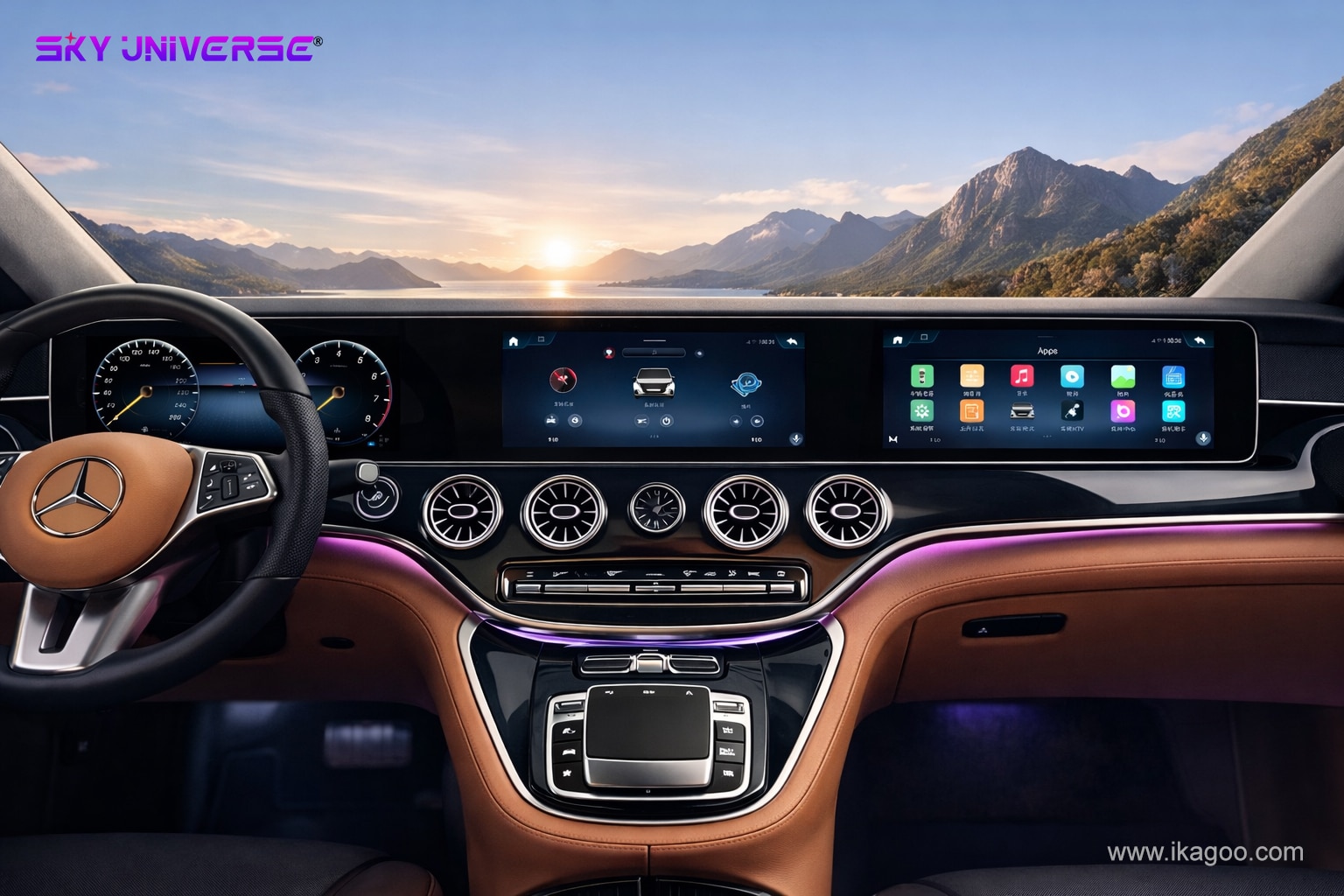
Funciones de fábrica que se deben conservar
Los controles del volante, el funcionamiento del controlador original, la cámara de fábrica, los sensores de aparcamiento, el audio, la comunicación con el amplificador y los menús compatibles del vehículo original se comprueban según la ruta exacta del producto.
Nuevas funciones para confirmar
Apple CarPlay inalámbrico, Android Auto, Bluetooth, navegación GPS, Wi-Fi, 4G, DSP, medios USB y compatibilidad con aplicaciones dependen de la versión exacta del hardware seleccionada.
Seleccione la ruta de la unidad principal Android y proporcione la información del salpicadero, el infoentretenimiento, el audio y la cámara.
¿Qué funciones de fábrica deberían seguir siendo utilizables?
Las funciones originales compatibles deben seguir siendo prácticas tras una instalación correcta. Algunas pantallas, menús o rutas de botones pueden verse diferentes porque el nuevo producto introduce una interfaz moderna mientras se comunica con el sistema original del vehículo.
Botones del volante
Los botones compatibles deberían seguir respondiendo. Un botón puede abrir una pantalla diferente o usar una ruta de menú distinta a la de la interfaz original.
Amplificador de fábrica y sonido
El audio estándar, el audio amplificado y los sistemas de fibra óptica MOST utilizan rutas de conexión diferentes. El adaptador o decodificador correcto se selecciona durante la revisión.
Cámara de reversa original o 360
Los sistemas de cámara de fábrica pueden requerir una interfaz dedicada. La ruta de retención esperada se verifica con la configuración enviada.
Menús del vehículo y controlador
Los menús originales compatibles pueden permanecer accesibles a través de una página, atajo o capa de interfaz diferente, mientras el controlador original sigue realizando las funciones compatibles.
CarPlay y Android Auto
La compatibilidad con CarPlay inalámbrico y Android Auto se verifica según el hardware Android y la versión de software seleccionados.
Retención de funciones prácticas
El objetivo principal es mantener utilizables las funciones de fábrica compatibles mientras se añaden la nueva pantalla, la interfaz y las funciones de conectividad seleccionadas por el comprador.
¿Qué significa realmente Plug-and-Play?
Plug-and-play significa que el producto utiliza una ruta de conexión adaptada al vehículo sin cortar intencionalmente el arnés de cableado original. Todavía puede incluir el desmontaje del salpicadero, la transferencia de componentes originales, la instalación de adaptadores, la configuración y las pruebas finales de funcionamiento.
Cuadro de instrumentos digital
El cuadro está diseñado para la plataforma de vehículo compatible y utiliza la ruta de conexión correspondiente. Según el modelo, aún puede ser necesaria una placa original, un soporte, una pieza de embellecedor o un paso de configuración.
Unidad principal Android
El arnés suministrado está diseñado para conectarse sin cortar el mazo de cables original del vehículo. El desmontaje del salpicadero, la transferencia de fibra óptica, los adaptadores, la configuración de la cámara y las pruebas aún pueden formar parte de la instalación.
¿Qué debe probarse antes de que se cierre el panel de control?
Las pruebas completas de funcionamiento deben realizarse mientras el cableado y el producto permanezcan accesibles. Esto permite corregir más rápido un conector, un ajuste, una ruta de fibra óptica o la configuración de la cámara antes de reinstalar el embellecedor.
Comprobaciones del cuadro de instrumentos digital
- La velocidad y las RPM se muestran correctamente
- Los datos de nivel de combustible y temperatura son razonables
- La posición de la marcha y el estado de la puerta funcionan
- La información de advertencia compatible aparece correctamente
- No queda ningún error de comunicación anómalo
- La posición del cuadro y el ajuste del embellecedor son correctos
Comprobaciones de la unidad principal Android
- La salida de audio funciona normalmente
- El volante y los controles originales responden
- La cámara de fábrica y la pantalla de estacionamiento funcionan
- Llamadas Bluetooth claras
- CarPlay o Android Auto se conecta normalmente
- Los menús originales compatibles permanecen accesibles
¿Qué soporte permanece después de la instalación?
Completar la instalación no pone fin a la relación de soporte. El pedido original iKAGOO permanece vinculado al vehículo revisado, a la versión del producto suministrada, al historial de garantía y al soporte técnico posterior.
Soporte de garantía definido
- Diagnóstico de fallos y revisión de evidencias de instalación
- Orientación sobre software y configuración
- Coordinación de piezas de repuesto elegibles
- Gestión de reparación o sustitución según la política de garantía
- Registros de casos y comunicación basados en el pedido
La ruta de soporte permanece disponible
- El pedido original sigue siendo la referencia del producto
- La resolución de problemas puede continuar
- La orientación sobre software puede permanecer disponible
- Se pueden investigar piezas compatibles
- Se pueden coordinar rutas de reparación o sustitución
- Pueden aplicarse cargos razonables por piezas, envío o servicio
Preguntas que hacen los compradores antes de realizar un pedido
Estas respuestas explican las principales diferencias entre el ajuste del cuadro digital, la compatibilidad de la unidad principal Android, la verificación de la instalación y el soporte a largo plazo.
¿Qué cubre la revisión de compatibilidad iKAGOO?
La revisión verifica los detalles del vehículo enviados, la configuración visible del salpicadero, la información del sistema original y la ruta de producto seleccionada. Se utiliza para preparar la versión correcta del producto y explicar los requisitos esperados de instalación y retención de funciones.
¿Por qué necesitas información diferente para un cluster y una unidad principal Android?
Un cuadro de instrumentos digital se corresponde principalmente con la forma del cuadro, la abertura del salpicadero, la plataforma de instrumentos y los componentes conservados. Una unidad principal Android también debe coincidir con el sistema de infoentretenimiento original, el sistema de audio, la cámara, los controles y el equipo de comunicación.
¿Por qué son importantes las fotos de los vehículos?
Las fotos revelan diferencias en el tablero, cuadro de instrumentos, pantalla y controlador que pueden no aparecer en una lista general de vehículos. Una foto clara a menudo puede identificar la ruta correcta del producto más rápido que el nombre del modelo solo.
¿Cada interfaz original seguirá siendo exactamente la misma?
El diseño, los iconos, la posición del menú y la ruta de los botones pueden cambiar. Las funciones compatibles deben seguir siendo prácticas, pero la interfaz actualizada no necesita copiar visualmente cada pantalla original.
¿Se puede actualizar el software del cuadro de instrumentos digital después de la instalación?
Se pueden proporcionar actualizaciones de firmware compatibles para el hardware soportado suministrado por iKAGOO cuando un paquete de actualización adecuado esté disponible para la plataforma del producto correspondiente.
¿Debería instalarse profesionalmente una unidad principal Android?
Se recomienda una instalación profesional cuando el vehículo tiene fibra óptica MOST, un amplificador de fábrica, una cámara original de 360 grados, controles originales complejos o modificaciones de cableado anteriores.
¿Qué significa plug-and-play?
Plug-and-play significa que el producto sigue una ruta de conexión adaptada al vehículo sin cortar intencionalmente el arnés de cableado original. Puede que aún se requiera la extracción del salpicadero, la transferencia de componentes, adaptadores, configuración y pruebas.
¿Todavía puedo contactar con iKAGOO después de que se complete la instalación?
Sí. El pedido original sigue siendo la referencia para el producto suministrado, la configuración del vehículo revisada, el historial de garantía y la asistencia técnica posterior.
¿Qué soporte queda después de la garantía de 12 meses?
El pedido original aún puede utilizarse para la identificación del producto, la resolución de problemas, la orientación de software, la investigación de piezas compatibles y la coordinación de reparaciones. Pueden aplicarse cargos razonables por piezas, envío, reparación o servicios especializados.
¿La revisión también cubre vehículos modificados previamente?
Las modificaciones anteriores deben ser reveladas y fotografiadas cuando sea posible. La revisión puede entonces identificar la ruta de producto más probable, mientras que el instalador verifica el cableado y los conectores reales durante la instalación.
Información relacionada sobre compatibilidad, garantía y soporte
Revise la información relevante sobre el producto, la instalación, la garantía y el soporte de la marca antes de realizar el pedido.
Envíe las fotos correctas y elija la ruta de producto adecuada
Para un cuadro digital, envíe fotos claras del instrumento original y del embellecedor circundante. Para una unidad principal Android, proporcione también la información del sistema original, el amplificador, la cámara y los controles. iKAGOO revisará la ruta del producto, preparará la versión correspondiente y explicará los puntos clave de instalación antes del envío.
Revisión de compatibilidad · Verificación de instalación · Garantía de 12 meses · Soporte posventa a largo plazo








Add comment