Audi Q5 CarPlay Screen for CarPlay, Android Auto and factory-style control
El Audi Q5 CarPlay Screen upgrades your Q5 infotainment experience with wireless CarPlay, Android Auto, DSP audio control, 4G/WiFi connectivity, camera support and a vehicle-specific screen prepared according to your factory system.
The system firmware version may be updated according to the current hardware batch and supported software release. iKAGOO checks your vehicle details before shipment to prepare the correct screen, harness and vehicle interface.
Esta actualización de iKAGOO es específica para cada vehículo Audi Q5 CarPlay Screen for supported Audi Q5 configurations, especially 2009–2017 Audi Q5 8R and confirmed 2018–2020 vehicle-system versions. It upgrades the factory infotainment experience with wireless CarPlay, Android Auto, GPS navigation, WiFi/4G, DSP sound tuning and camera support. Supported original functions such as steering-wheel controls, original Audi menu access, factory buttons, compatible camera input and factory audio connection continue to work after correct installation and configuration. Before shipment, iKAGOO checks whether your vehicle uses Concert, Symphony, Multimedia/MMI 3G or another factory system so the correct version can be prepared. The system firmware is prepared according to the current hardware batch and supported software release, so the product title does not lock the upgrade to one Android version.
Audi Q5 CarPlay Screen upgrade, hardware and factory-system details
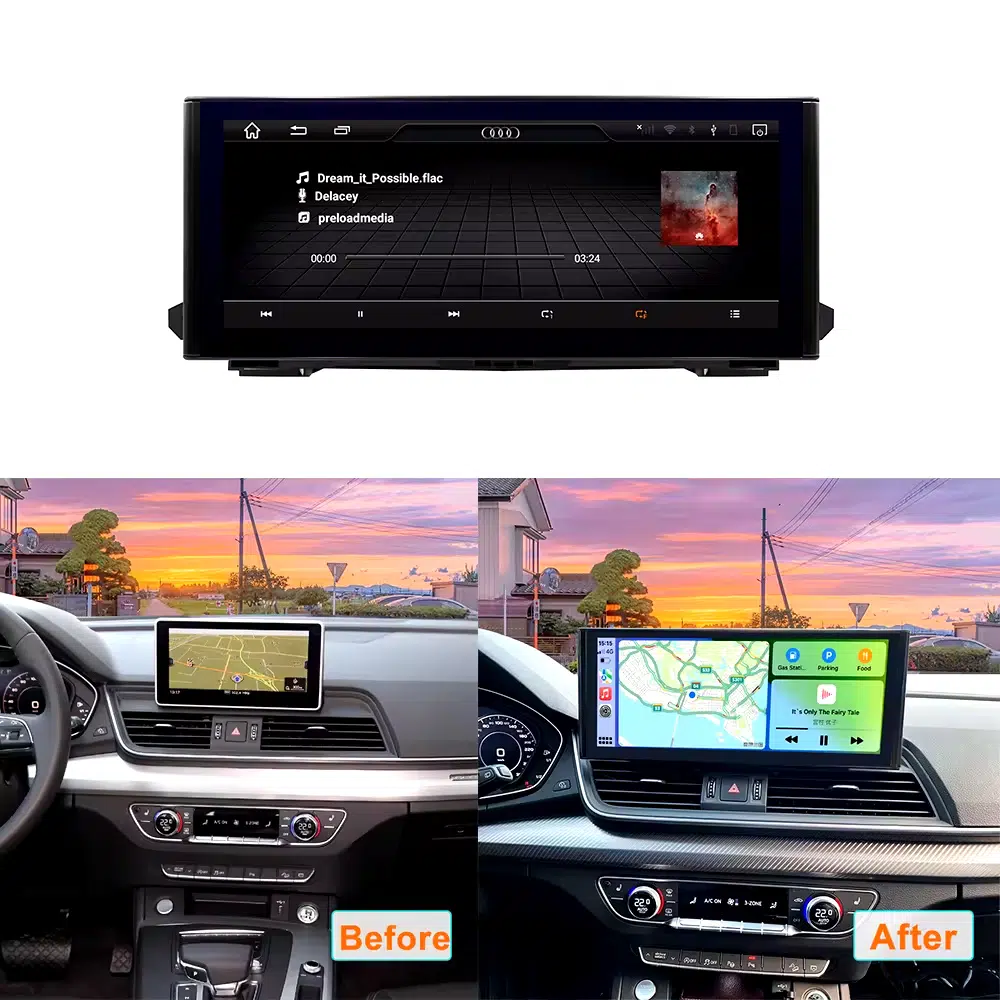
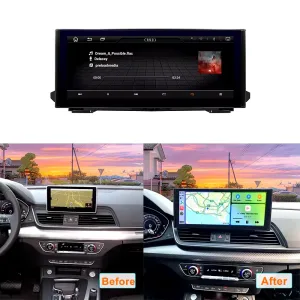
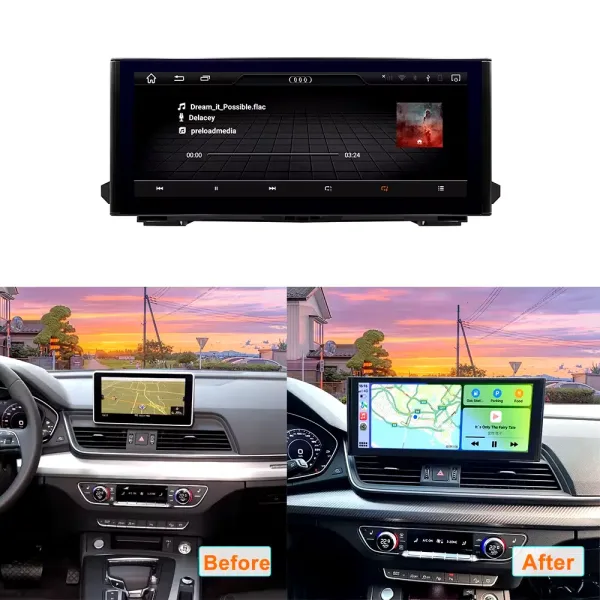
Before and after screen upgrade for the Q5 cabin
The upgrade replaces the older screen experience with a wider modern display that makes maps, music and phone functions easier to use every day.
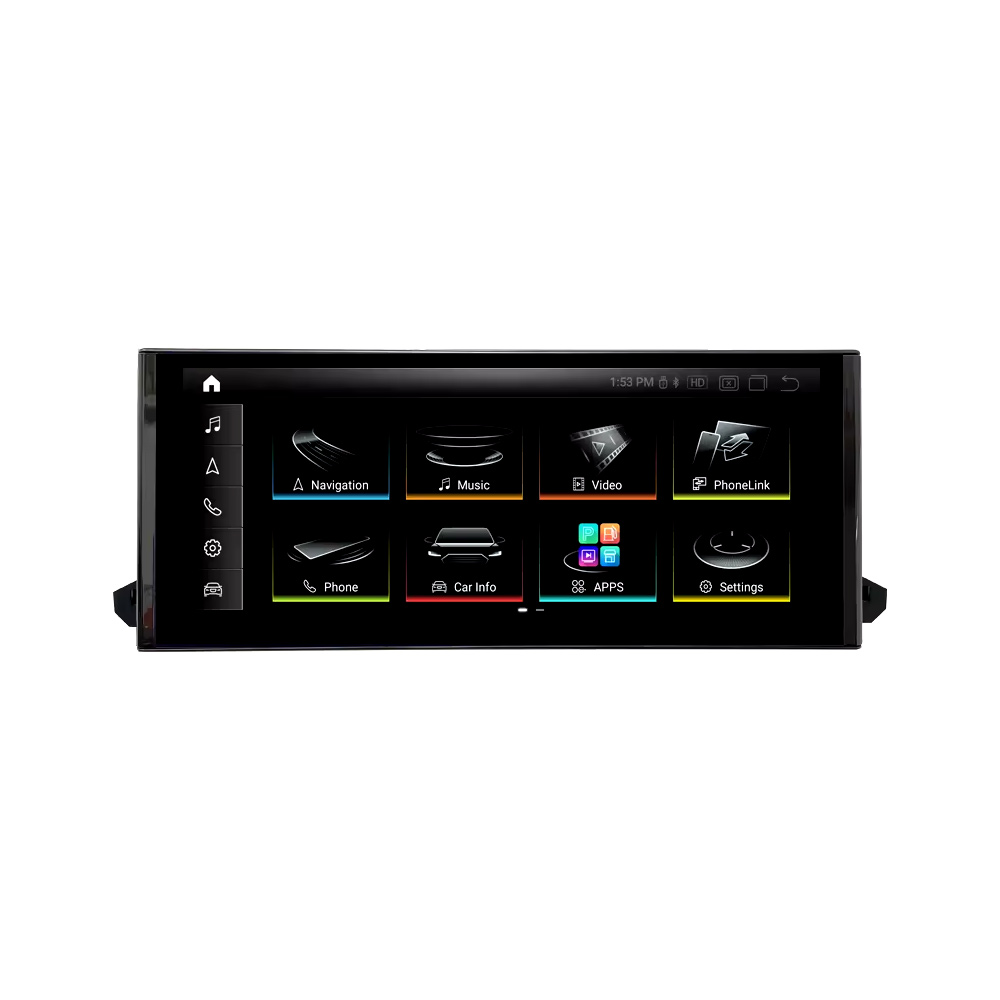
Clean front display with CarPlay-ready interface
The front screen gives your Q5 a modern CarPlay and Android Auto control surface while keeping a restrained Audi-style dashboard look.
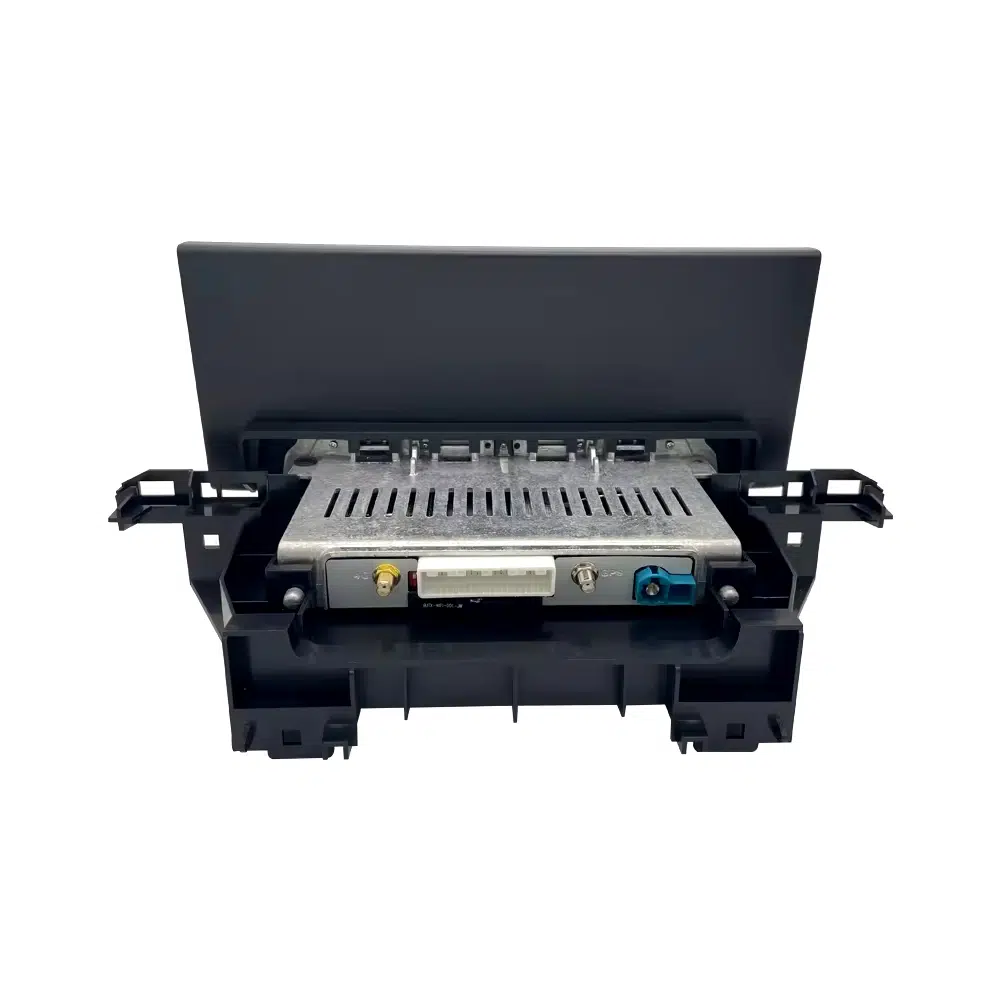
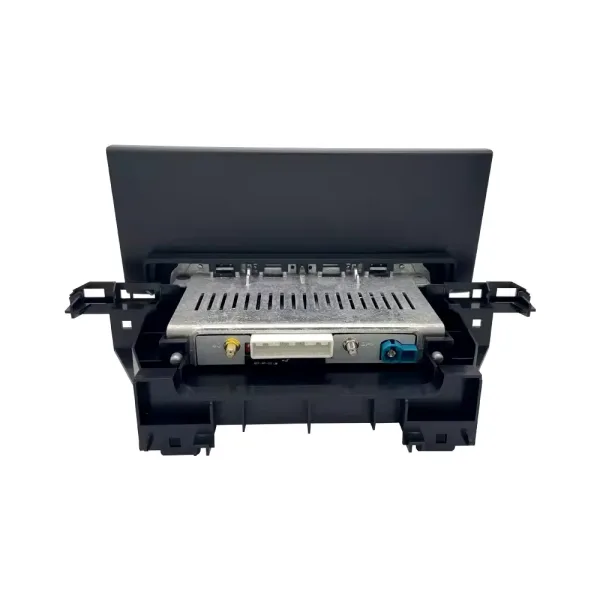
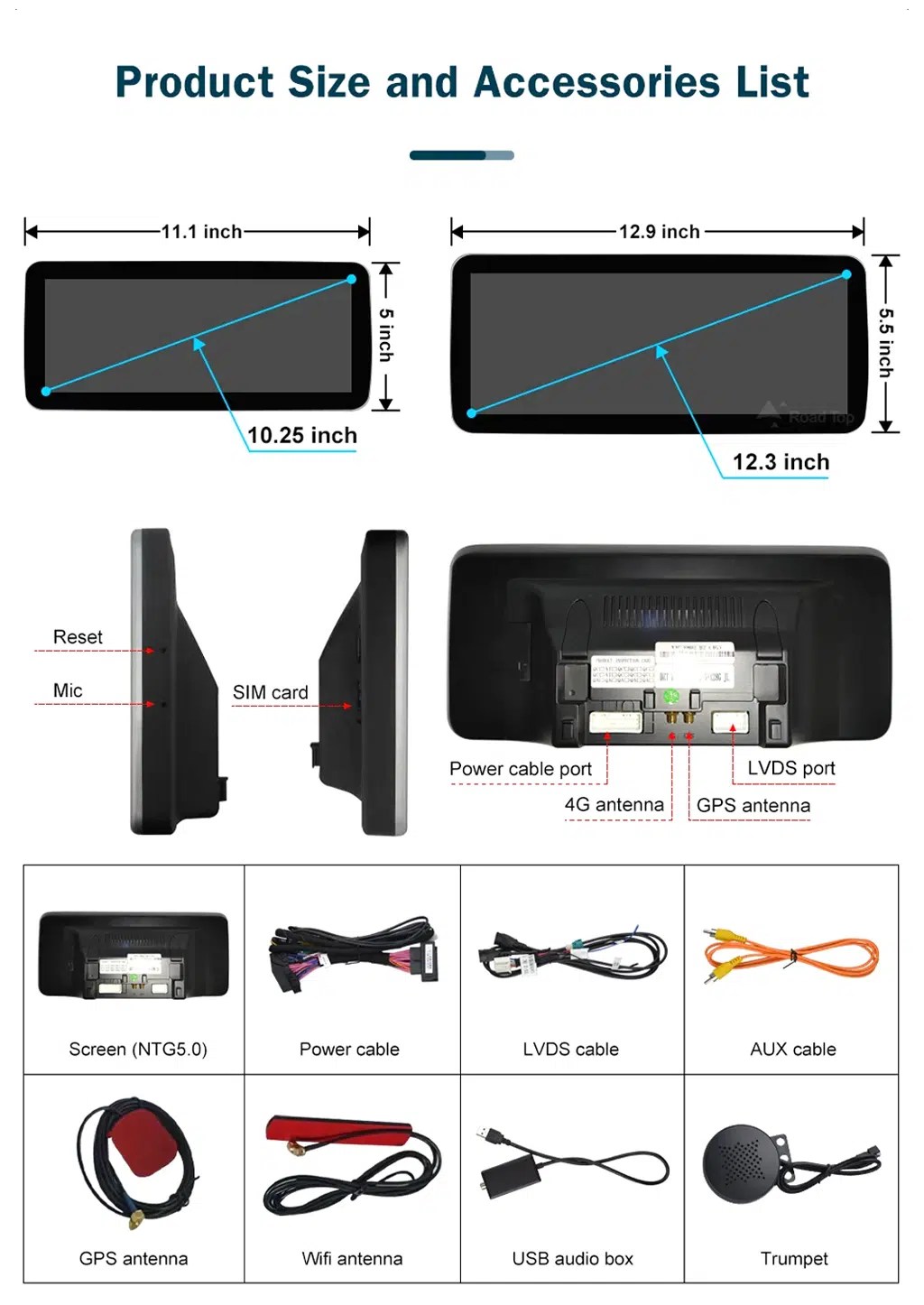
Rear ports and vehicle-specific hardware
The rear hardware layout matters because power, LVDS, antenna and vehicle-interface connections must match the correct Q5 factory system.
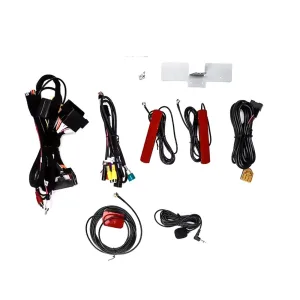
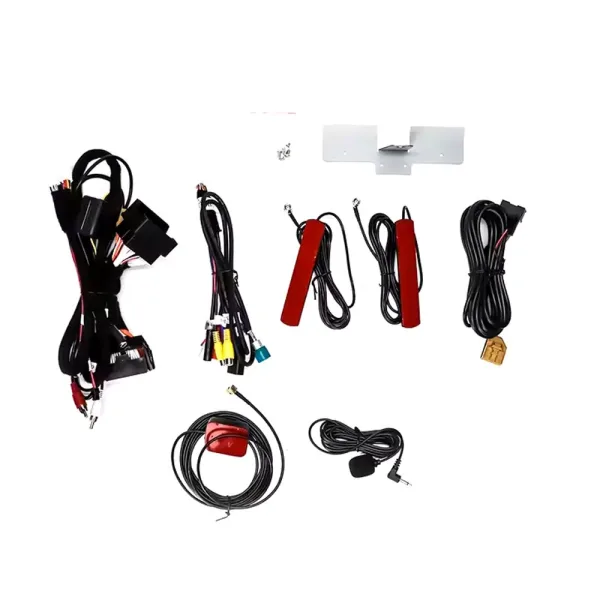
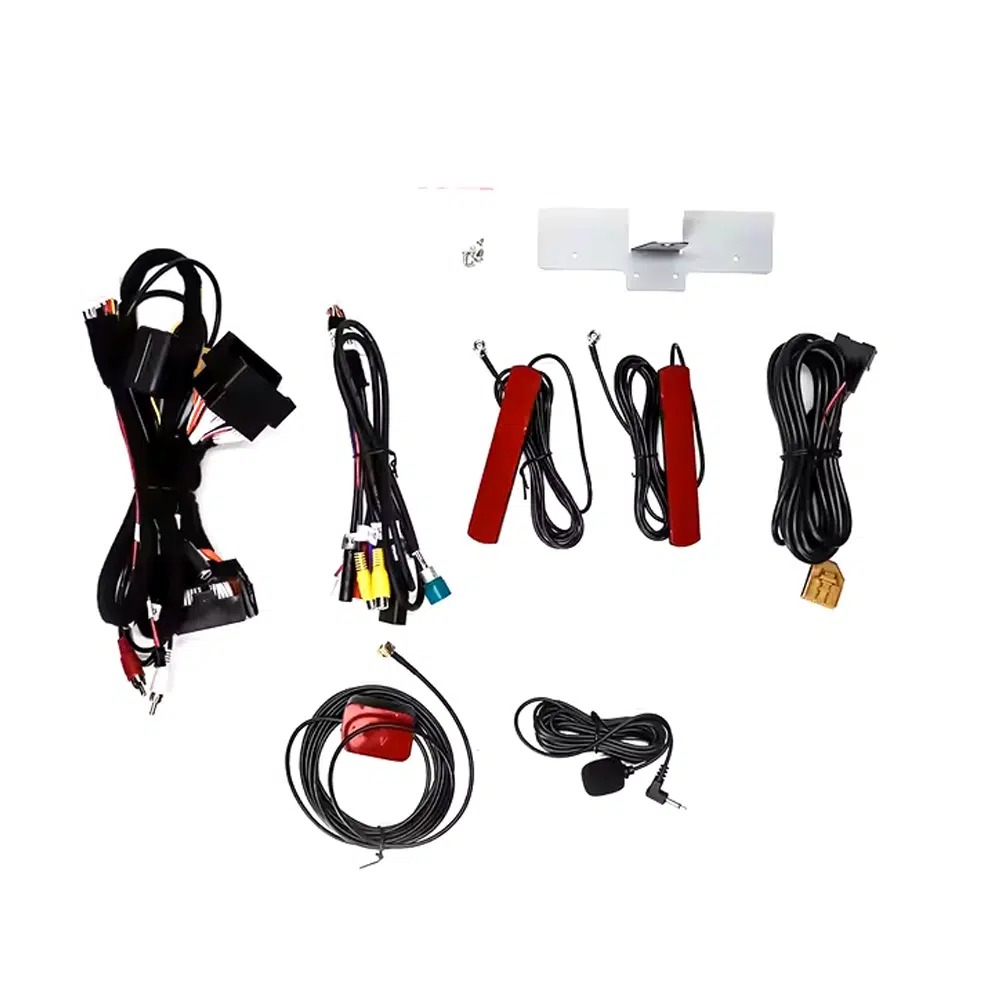
Harness, antennas and connection accessories
The wiring kit helps connect the screen, factory interface, GPS, WiFi, microphone and camera functions without intentionally cutting supported factory wiring.
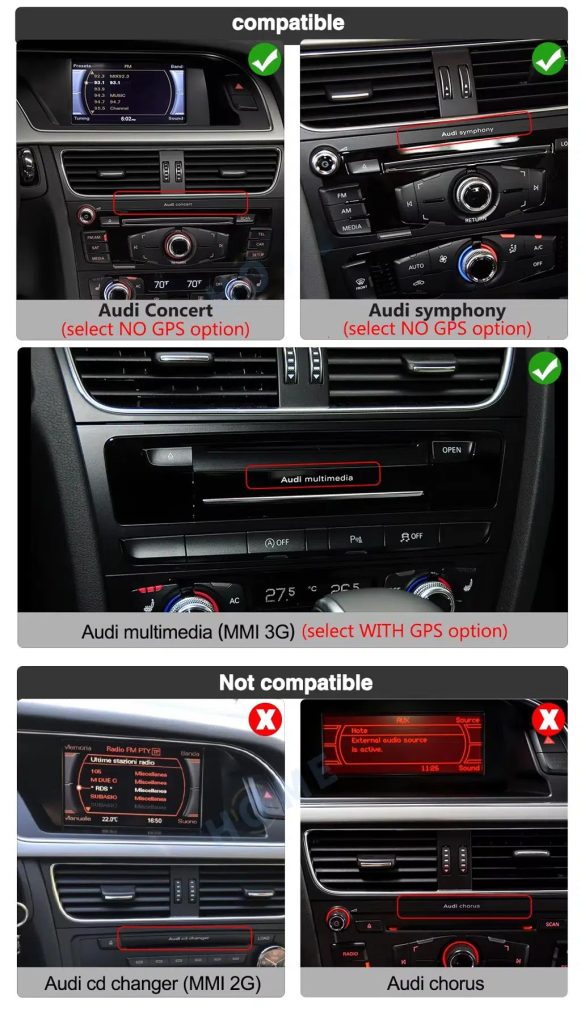
Choose the correct Audi factory radio type
Q5 owners often have different factory systems such as Concert, Symphony or Multimedia/MMI 3G. Send a dashboard photo before ordering so iKAGOO can prepare the correct version instead of relying only on the model name.
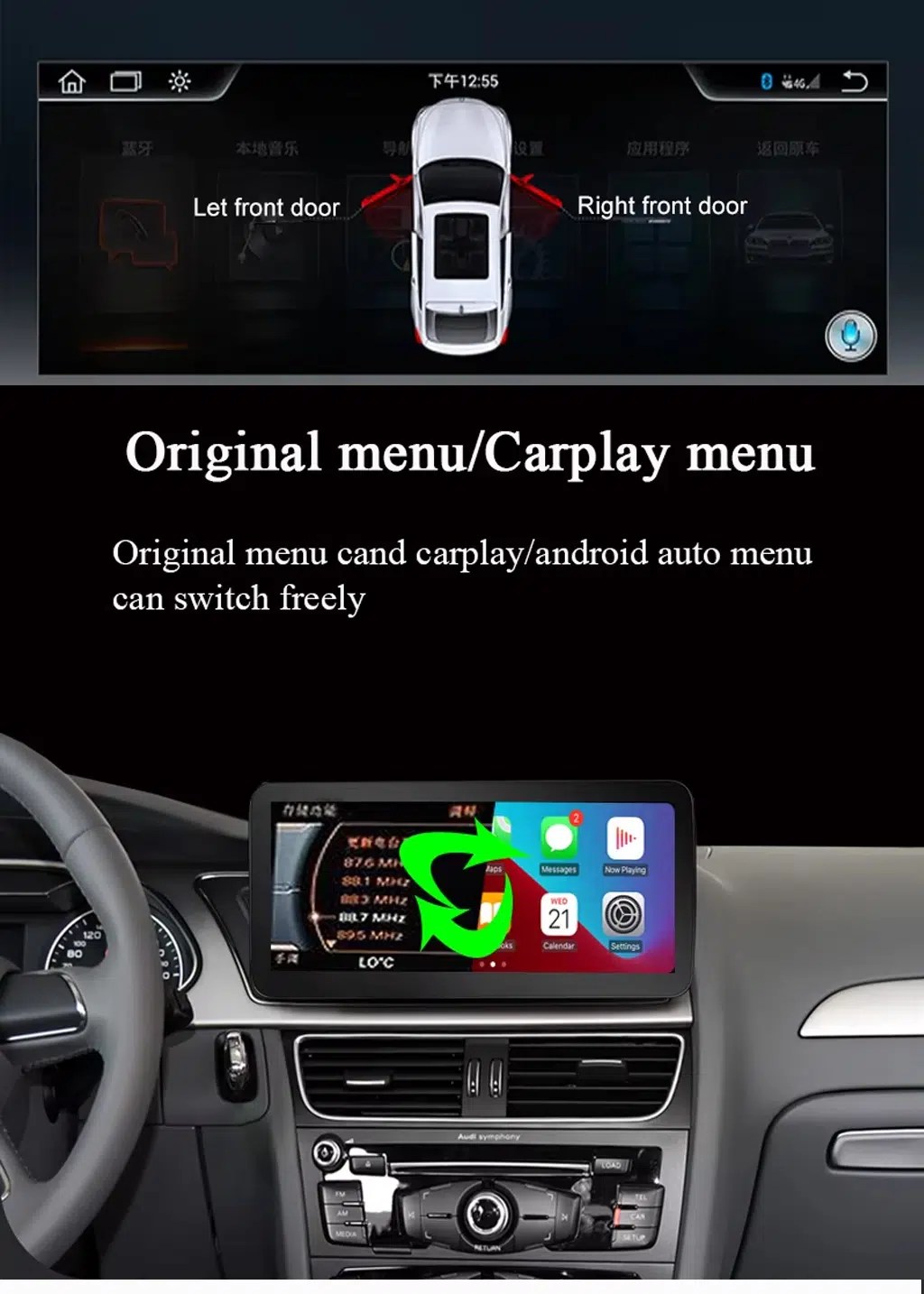
Original Audi menu and CarPlay menu switching
You can use CarPlay or Android Auto while still keeping access to supported original Audi menu functions after correct installation and configuration.
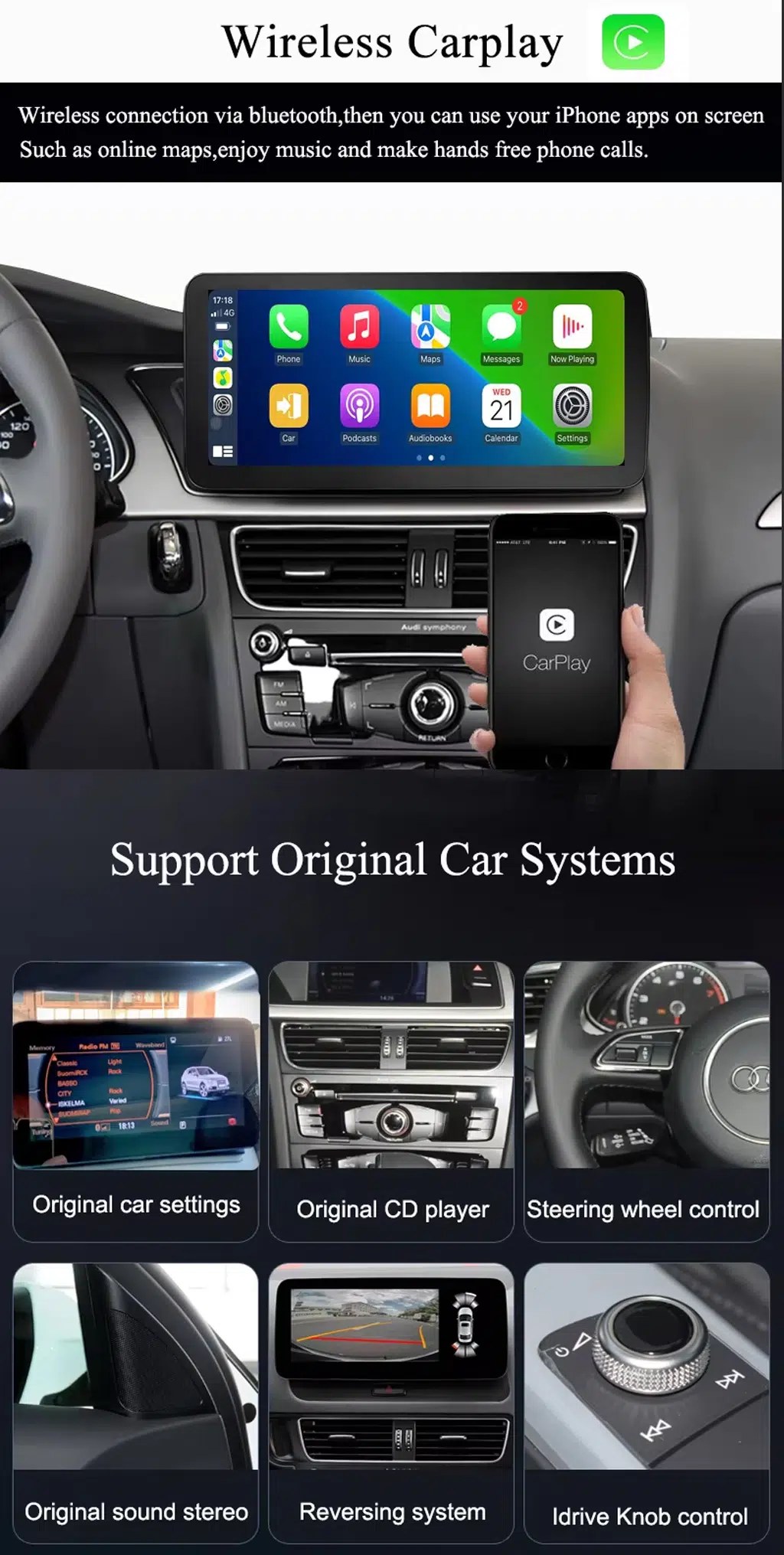
Wireless CarPlay with factory-function retention
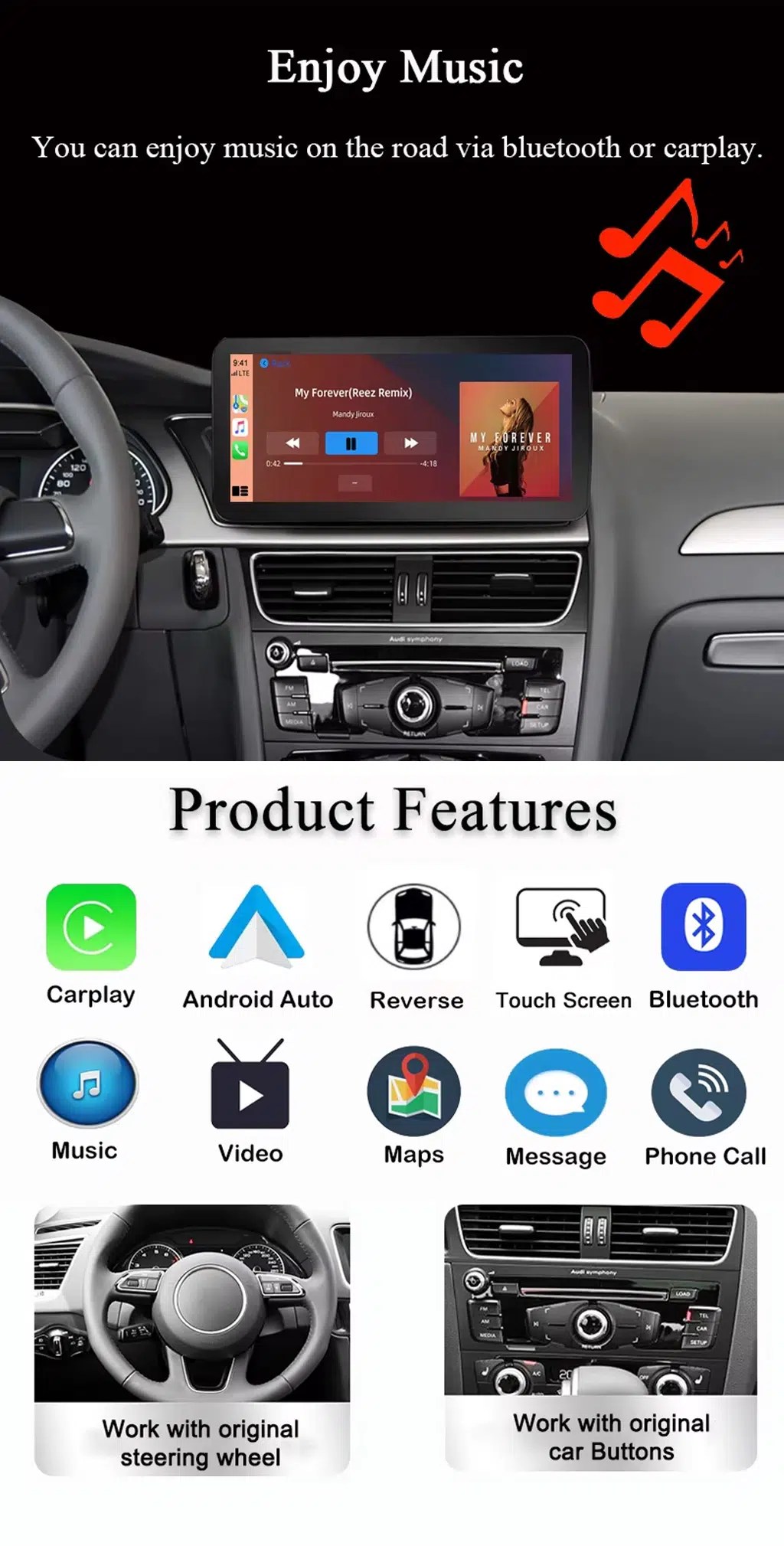
Wireless CarPlay gives your Q5 modern phone projection while supported original settings, CD player functions, steering-wheel controls, reverse display and knob control remain part of the experience.
Music, maps and everyday phone functions
The screen brings CarPlay, Android Auto, Bluetooth, maps, messages, video and phone calls into one easier daily-use interface.
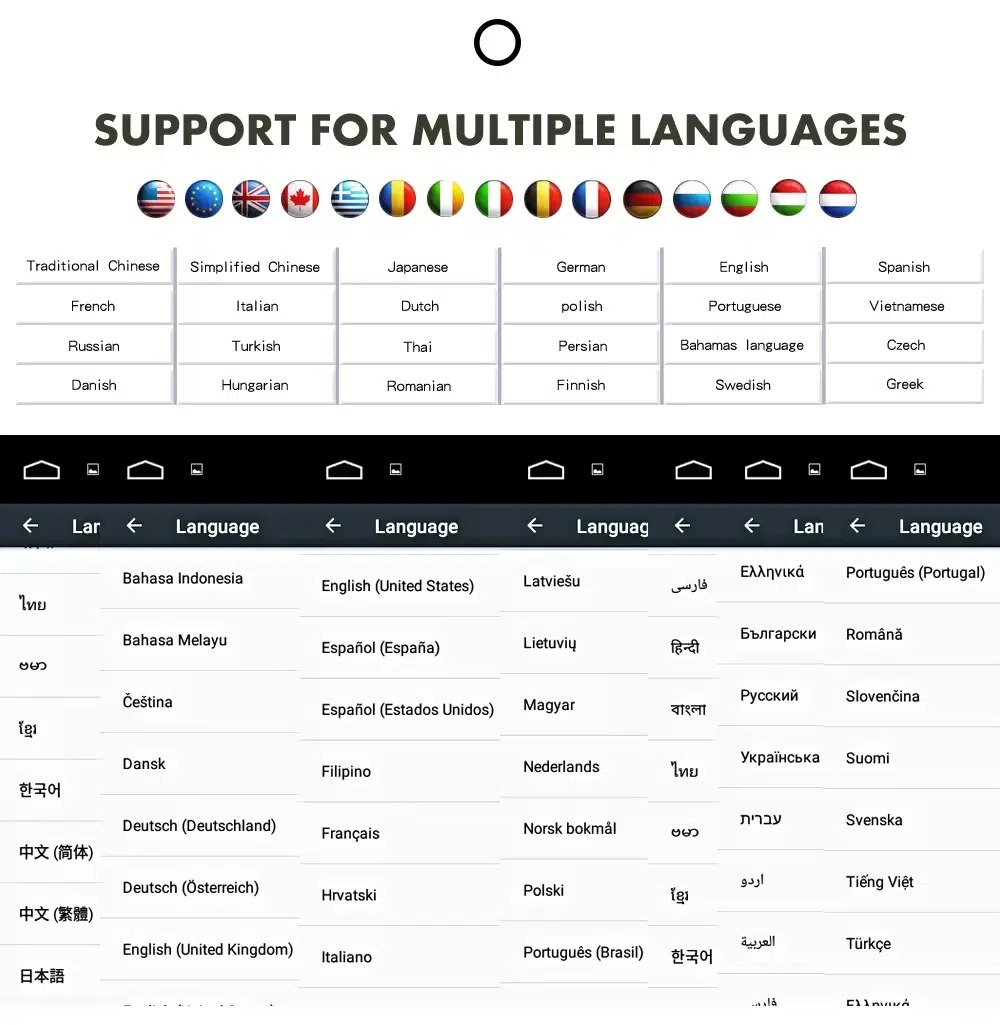
Multilingual interface for global use
The system supports multiple interface languages, helping owners in the US, UK, EU, Australia, New Zealand and other regions use the screen more comfortably.
Accessory set for the installation plan
The supplied cables and antennas help your installer complete power, LVDS, AUX, GPS, WiFi, USB audio and microphone connections correctly.
Screen size, rear ports and accessory layout
This layout helps you understand the screen body, rear ports and included accessories before installation, including power cable, LVDS cable, AUX cable, GPS antenna, WiFi antenna, USB audio box and microphone.
Audi Q5 CarPlay Screen upgrade for daily driving
Modern phone integration
Wireless CarPlay and Android Auto make maps, calls, music and messages easier to use than the older factory screen workflow.
Full screen upgrade, not only a module
This is a full Audi Q5 screen upgrade with memory options, GPS, WiFi/4G, Bluetooth, DSP and camera support—not just a hidden CarPlay interface box.
Firmware prepared by current batch
The system version may be updated according to the current hardware batch and supported software release, so you are not buying a title locked to an outdated Android number.
Prepared by factory system
Your Q5 may use Concert, Symphony, Multimedia/MMI 3G or another configuration. iKAGOO checks your dashboard and radio type before shipment.
Factory control continuity
Supported original menu switching, steering-wheel controls, factory buttons, compatible camera input and audio connection remain usable after correct setup.
DSP sound control
The DSP 32-band EQ gives more control over music output than basic factory tone settings.
Keep the Audi control logic while upgrading the screen
Funciones originales compatibles
- Original Audi menu switching is supported after correct configuration.
- Los mandos originales del volante siguen funcionando a través de la interfaz compatible con el vehículo.
- Se mantienen los botones de fábrica y el funcionamiento de los mandos y controladores compatibles, siempre que el sistema original lo permita.
- Es compatible con la pantalla de fábrica de la cámara de marcha atrás; admite entradas AHD y CVBS para la cámara.
- La conexión del sistema de audio de serie y los altavoces originales siguen siendo compatibles gracias al cableado y a la interfaz adaptados.
- Se admite la comunicación CANBUS del vehículo para los datos del vehículo y las funciones de aparcamiento compatibles.
What may need confirmation
Los amplificadores de fábrica, los sistemas de audio Bang & Olufsen, las cámaras no estándar, las modificaciones posteriores a la fabricación, las distribuciones del salpicadero para volante a la derecha y las configuraciones regionales poco habituales pueden requerir instrucciones de conexión adicionales. Envía fotos de tu vehículo antes del envío para que iKAGOO pueda preparar la versión correcta.
Audi Q5 Android Auto screen specifications
| Tipo de producto | Vehicle-specific Audi Q5 CarPlay Screen / Android head unit / Android car stereo |
|---|---|
| SKU | BBA-119 |
| Opciones del vehículo | 2009–2017 High Configuration, 2009–2017 Low Configuration, 2018–2020 configured versions |
| Sistema | Sistema iKAGOO basado en Android. La versión exacta del firmware puede actualizarse en función del lote de hardware actual y de la versión de software compatible. |
| Placa base | TSK8259 / TSK8667 platform options |
| CPU | 8 Core CPU; platform comparison lists Octa-core Cortex-A53 and CA75 + CA55 options |
| Opciones de memoria | 4+64GB and 8+128GB DSP CarPlay as current selectable options; platform information also lists 2+32GB, 4+64GB, 6+128GB and 8+128GB |
| CarPlay / Android Auto | Wireless CarPlay and wireless Android Auto support |
| Navegación | GPS / Glonass; GPS and Beidou support listed in the platform comparison |
| Red | WiFi / 4G support; 2.4GHz / 5GHz WiFi listed in the platform comparison |
| Bluetooth | BT 4.0 / BT 5.0 depending on configuration |
| DSP | DSP 32-band EQ; built-in DSP support depends on selected platform and memory configuration |
| Soporte para la cámara | 360 Panorama, AHD rear view camera and CVBS rear view camera support where configured |
| DVR Function | USB front / rear 1080P DVR support |
| Función de radio | FM/AM/RDS or FM/RDS depending on configuration |
| Package Size / Weight | 40 × 24 × 20 cm; 4.2 kg |
Choose the correct Audi Q5 CarPlay Screen version
2009–2017 High Configuration
Select this only after confirming your original factory system, screen, buttons, camera and amplifier setup. High configuration usually needs a different vehicle-interface plan than low configuration.
2009–2017 Low Configuration
For lower factory-system versions, iKAGOO checks the radio faceplate, screen layout and connector photos before preparing the harness.
2018–2020 Configured Version
2018–2020 vehicles must be confirmed by dashboard and factory system photos. Do not select only by the badge name or market name.
4+64GB or 8+128GB DSP CarPlay
Choose 4+64GB for basic CarPlay, Android Auto, maps and music. Choose 8+128GB DSP CarPlay for smoother app use, more storage and stronger audio tuning.
Prepared for your Q5, not just shipped from a shelf
Preparación específica para cada vehículo
iKAGOO checks your Audi Q5 model year, factory radio type, dashboard layout, LHD/RHD position and connector photos before shipment.
Correcta combinación de pantalla y cableado
The screen, wiring harness and vehicle interface are prepared around your actual order information to reduce wrong-version risk.
Current supported firmware
The supported software version is prepared according to the hardware batch, so the product is not presented as a fixed Android-version-only purchase.
Integración de la función original
The upgrade is planned around supported original Audi controls, original menu access, camera input and audio connection.
Protección del cableado de fábrica
The matched wiring approach is designed to connect without intentionally cutting supported factory wiring.
garantía de hardware 12-month
Your purchase includes 12-month hardware warranty support for covered product faults, plus tracked global shipping.
Three practical checks before you upgrade
Necesidad de actualizar iKAGOO
Resultado: Argumentos sólidos a favor de la actualización.
This upgrade has high daily-use value for Q5 owners who want modern maps, wireless CarPlay, Android Auto, connected apps and a larger screen instead of only repairing the old factory unit.
Ver la norma sobre la necesidad de actualizaciónCompatibilidad de iKAGOO Original con vehículos
Resultado: Integración diaria casi al nivel de los fabricantes de equipos originales (OEM) cuando se prepara e instala la versión correcta.
Una puntuación de 88/100 no significa que se pierdan 12% de funciones de fábrica. Refleja la continuidad de las funciones de fábrica, la continuidad del control original, la integración de la interfaz del vehículo, la compatibilidad de la arquitectura física y la integración de la instalación.
Ver norma de compatibilidadDificultad de instalación de iKAGOO
Resultado: Nivel 3 — Bricolaje avanzado.
Suitable for experienced DIY installers or an automotive electronics installer. It requires careful dashboard disassembly, matched wiring connection, antenna/USB routing, CANBUS setup and full function testing.
View Installation Difficulty StandardCarPlay module, factory repair, or full Audi Q5 Android head unit?
Keep old factory unit
Lowest effort, but the daily navigation and phone experience remains dated.
Repair or used factory radio
Useful for restoring original operation, but it does not meaningfully add a modern CarPlay screen or Android Auto screen experience.
Interfaz exclusiva para CarPlay
Good if you only want phone projection, but it usually keeps the old screen size and does not give you a full display upgrade.
iKAGOO Audi Q5 CarPlay Screen
Best fit when you want a larger screen, wireless CarPlay, Android Auto, GPS, 4G/WiFi, DSP and retained original control integration.
Conclusión sobre la compra: Choose this iKAGOO upgrade if your goal is not only adding CarPlay, but making your Audi Q5 feel modern again while keeping supported factory functions usable.
Help iKAGOO prepare the correct Audi Q5 screen version
Por favor, facilite
- Año de fabricación del vehículo y región de comercialización.
- Volante a la izquierda o a la derecha.
- Dashboard photo showing the original screen and control panel.
- Factory radio type: Concert, Symphony, Multimedia/MMI 3G or other.
- Fotos de los conectores, en caso de que ya se haya desmontado la unidad antigua.
- Whether your vehicle has factory amplifier, Bang & Olufsen, factory reverse camera or parking radar.
- Si el coche ha sido objeto de modificaciones posteriores a su fabricación.
Por qué esto importa
Audi Q5 vehicles are sold under different regional names and may use different factory systems, dashboards and connector structures. iKAGOO prepares the correct version according to vehicle generation, model year, dashboard layout, factory radio and connector configuration—not only the badge name.
Esto nos ayuda a preparar la pantalla adecuada, el mazo de cables, la interfaz CANBUS, el firmware compatible y el esquema de conexión del vehículo para su pedido.
Audi Q5 8R, SQ5 and 2018–2020 compatibility notes
This product page should be positioned for Audi Q5 buyers, not as a Q5L-only product for the Chinese market. For most US, UK, EU, Australian and New Zealand buyers, the primary model name is Audi Q5, and 2009–2017 vehicles are commonly searched as Audi Q5 8R.
The 2018–2020 option must be confirmed by dashboard photos, factory system photos and connector information before shipment. Do not assume that every 2018–2020 Audi Q5, every China-market Q5L or every regional dashboard uses the same hardware.
Installation work required for this Audi Q5 screen
Pasos habituales de instalación
- Remove the relevant dashboard trim and original screen/control area carefully.
- Conecta el mazo de cables de alimentación correspondiente, el cable LVDS y la interfaz del vehículo.
- Antena GPS del navegador, antena WiFi/4G, cable USB y micrófono, si se utiliza.
- Connect camera input and audio output according to your Q5 configuration.
- Configurar el protocolo CANBUS y los ajustes de la pantalla.
- Test steering-wheel controls, original menu switching, audio, reverse camera, Bluetooth, CarPlay and Android Auto before reassembly.
Detén la instalación y ponte en contacto con iKAGOO si
- El conector no es compatible con el mazo de cables suministrado.
- Los pines están doblados, dañados o no se ven bien.
- El cableado no se ajusta al esquema de instrucciones.
- Detectas calor, olores o humo inusuales.
- Un fusible se funde una y otra vez.
- No se puede confirmar si hay alimentación o toma de tierra.
- Alguien sugiere cortar el mazo de cables principal de la fábrica.
- El comportamiento del CANBUS, la cámara, el amplificador o el sistema de audio es anómalo y no se puede explicar.
Asistencia tras realizar el pedido
Envío internacional con seguimiento
Orders are shipped with tracking. Typical delivery varies by region and carrier conditions.
garantía de hardware 12-month
Los defectos de hardware cubiertos están amparados por las condiciones de garantía de iKAGOO. Los daños causados durante la instalación, el uso indebido o las modificaciones no autorizadas no se consideran defectos del producto.
Soporte de instalación
iKAGOO can help with connection, camera, CANBUS, audio and configuration questions after delivery.
For full policy details, review the current iKAGOO shipping, warranty and return pages before ordering.
Audi Q5 CarPlay Screen FAQ
Will this Audi Q5 CarPlay Screen fit my exact vehicle?
Answer: Yes, if your vehicle matches one of the supported configurations and the correct version is prepared. iKAGOO checks your model year, factory radio type, dashboard layout, LHD/RHD position and connector photos before shipment.
Why should this page use Audi Q5 instead of Audi Q5L?
Answer: Because Audi Q5 is the correct primary name for US, UK, EU, Australian and New Zealand buyers. Q5L is mainly a China-market long-wheelbase name, so iKAGOO uses Audi Q5, Audi Q5 8R and Audi SQ5 language for clearer international search and ordering.
¿Por qué el título no menciona una versión concreta de Android?
Respuesta: Porque el firmware del sistema puede variar en función del lote de hardware y de la versión de software compatible. The title focuses on the stable buyer keyword, Audi Q5 CarPlay Screen, while iKAGOO prepares the current supported system version before shipment.

¿Se trata de una actualización a pantalla completa o solo de un módulo de CarPlay?
Answer: This is a full screen upgrade, not only a hidden CarPlay interface module. It supports wireless CarPlay and Android Auto, but it also includes memory options, GPS, WiFi/4G, Bluetooth, DSP and camera support.
How do I know if my Q5 is High Configuration or Low Configuration?
Answer: Send your dashboard and factory radio photos before shipment. The screen version depends on whether your vehicle uses Concert, Symphony, Multimedia/MMI 3G or another original system, not only the model year.
¿Seguirá funcionando el menú original de Audi tras la instalación?
Answer: Yes, supported original Audi menu switching is retained after correct installation and configuration. Esto te permite utilizar CarPlay o Android Auto sin perder el acceso a las funciones compatibles del sistema de serie.
Will my steering-wheel controls and original buttons still work?
Respuesta: Sí, los mandos del volante compatibles y los botones originales siguen funcionando a través del CANBUS y la interfaz del vehículo correspondientes. El funcionamiento de las funciones puede variar en función del sistema de fábrica, la región y las modificaciones previas.
Does it support the factory reverse camera or parking camera?
Answer: Yes, compatible factory reverse-camera input, AHD camera input and CVBS camera input are supported. If your Audi Q5 has a factory camera, aftermarket camera, parking radar or special camera interface, send photos before shipment so iKAGOO can prepare the correct connection plan.
¿Funciona con Bang & Olufsen o con un amplificador de serie?
Respuesta: Podría ser viable si se elaboran el esquema de interconexiones y el plano de cableado adecuados. Please tell iKAGOO whether your Q5 has factory amplifier or Bang & Olufsen audio before shipment.
¿Tengo que cortar el cableado original del Audi?
Respuesta: No es necesario cortar deliberadamente ningún cable de fábrica compatible. La actualización utiliza un mazo de cables y una interfaz para el vehículo compatibles. Si un instalador indica que es necesario cortar el mazo de cables original de fábrica, detén la instalación y ponte en contacto primero con iKAGOO.
Can this work on right-hand-drive Audi Q5 models?
Respuesta: Es posible que sea compatible, pero hay que confirmar que se trata de un vehículo con volante a la derecha antes del envío. Indica tu región de mercado, envía una foto del salpicadero y una foto del sistema original para que iKAGOO pueda preparar la configuración correcta de la pantalla y el cableado.
Is every 2018–2020 Audi Q5 supported?
Answer: Not automatically. The product page includes a 2018–2020 option, but iKAGOO must confirm your actual dashboard, factory system and connectors before preparing that version.
Who should install this Audi Q5 screen?
Respuesta: Se recomienda recurrir a un instalador con experiencia en bricolaje o en electrónica de automoción. This is a Level 3 installation because it requires dashboard disassembly, harness connection, antenna and USB routing, CANBUS setup, camera/audio checks and full function testing before reassembly.
Make your Audi Q5 feel modern again
Choose your memory and vehicle-system configuration above. If you are unsure, send your Audi Q5 year, dashboard photo, factory radio photo, LHD/RHD information, camera and amplifier details before shipment so iKAGOO can prepare the correct version.


Evan Carter -
Instalado esto en mi 2015 Q5L. Ajuste OEM perfecto - sin recorte o modificación necesaria. La interfaz de Android es suave y CarPlay se conecta de forma inalámbrica cada vez. La calidad del sonido con DSP es una gran mejora sobre la acción.
Harrison Sterling -
Complete life-saver for my 2013 Audi Q5 with the basic Concert radio! The tiny stock display was an absolute joke. This 10.25-inch touchscreen completely brought the interior into the modern era. Wireless Apple CarPlay connects flawlessly within 5 seconds of turning the key. I was worried about audio quality since my car lacks MMI, but routing the music through the factory AUX line sounds incredibly crisp with absolutely zero background alternator whine. Highly recommended!